Become a MacRumors Supporter for $50/year with no ads, ability to filter front page stories, and private forums.
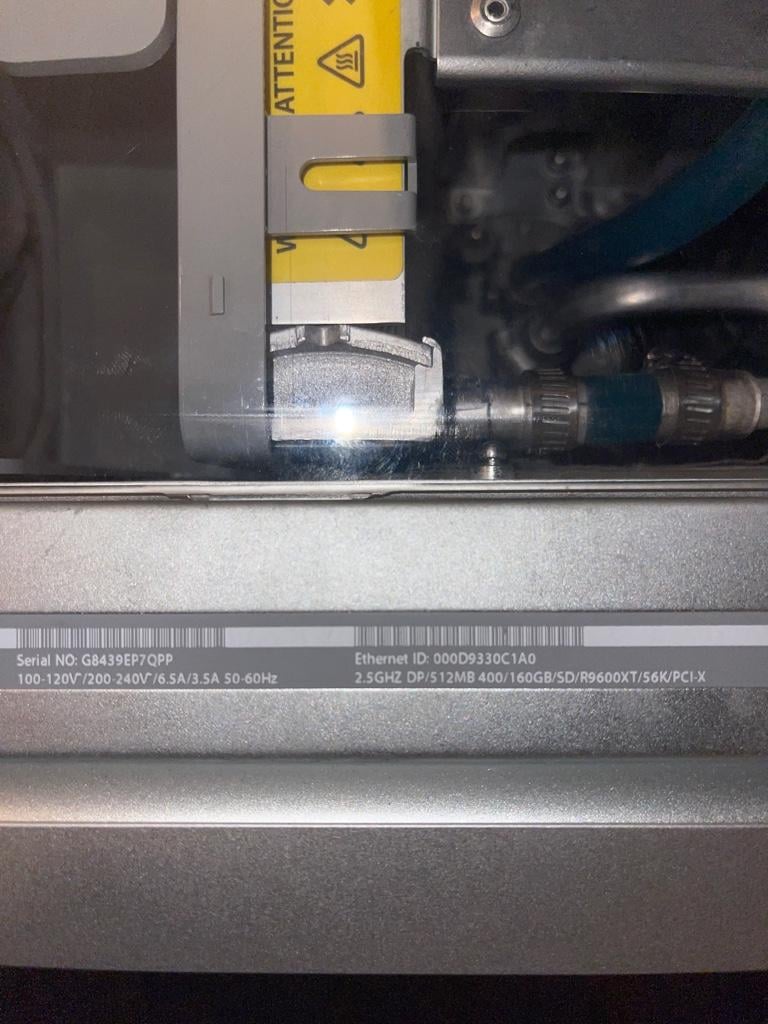
Re: the 2.5DP I had been saving from melting in a pool of dexcool. This is the fourth and I think final pass with a baking soda solution. I loaded up the CPUs and instant 3 flashing lights when booting.

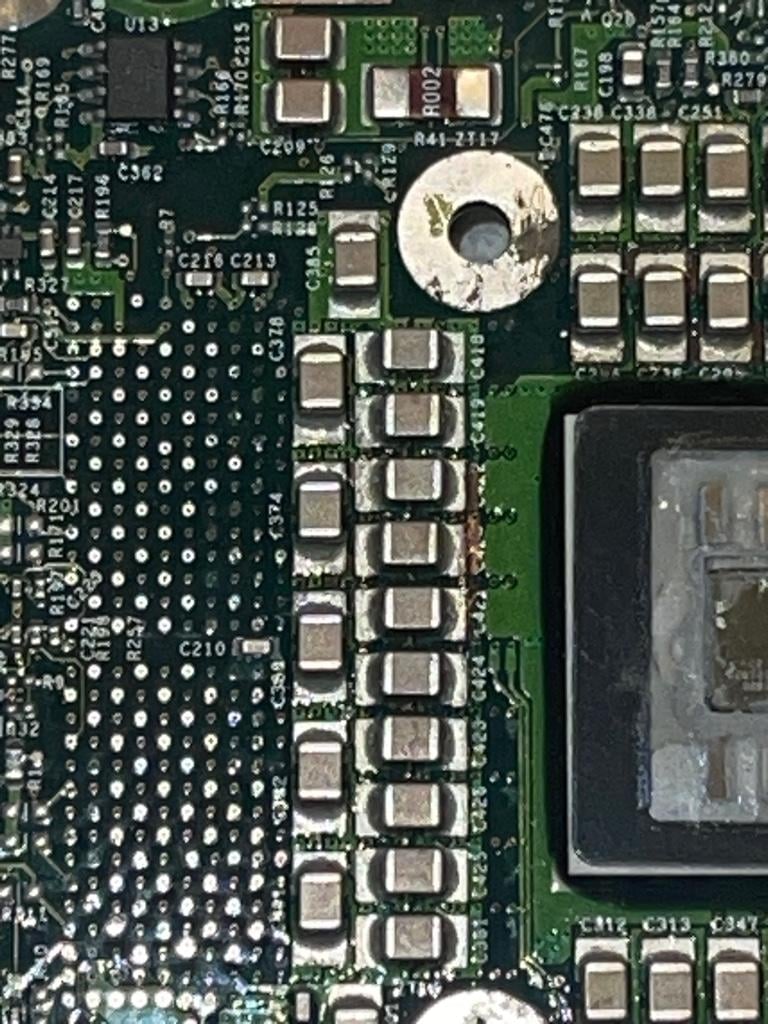
I now know that this 2.5dp is affected by a BGA failure related to the memory slots/controller that causes this issue despite known good RAM.

I was able to confirm this by preheating the board, and then applying direct, prolonged heat to the VRMs.


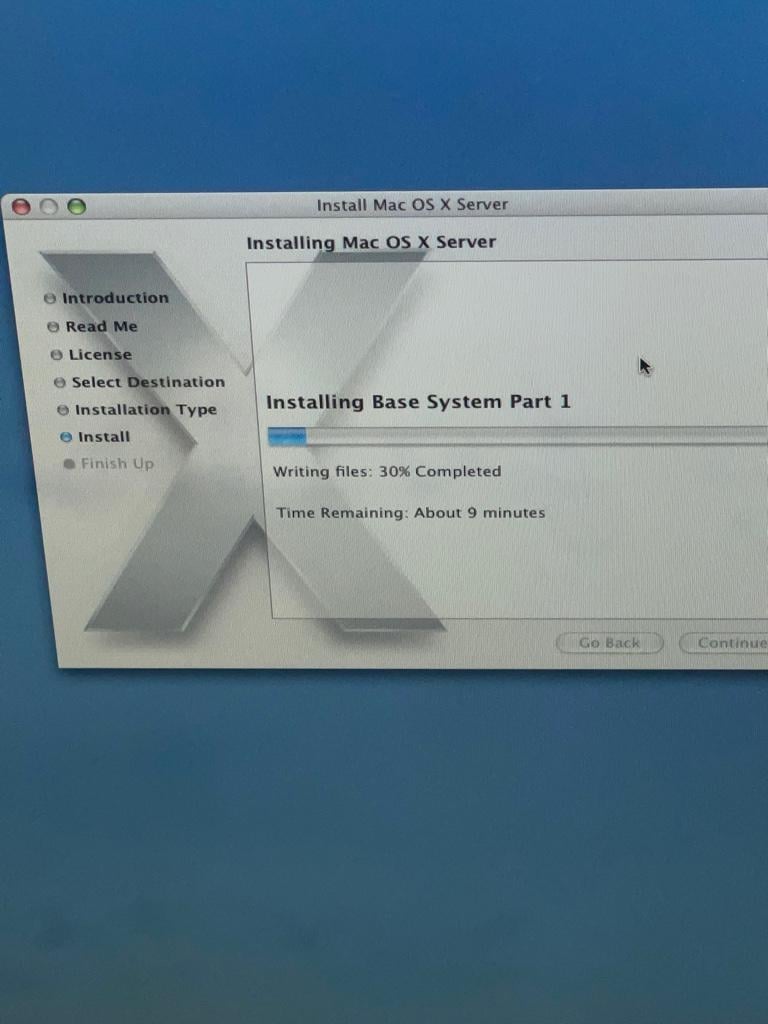
After words it booted immediately and seems rock stable, installed an OS and going through all the setup now with no hiccups or instability issues.

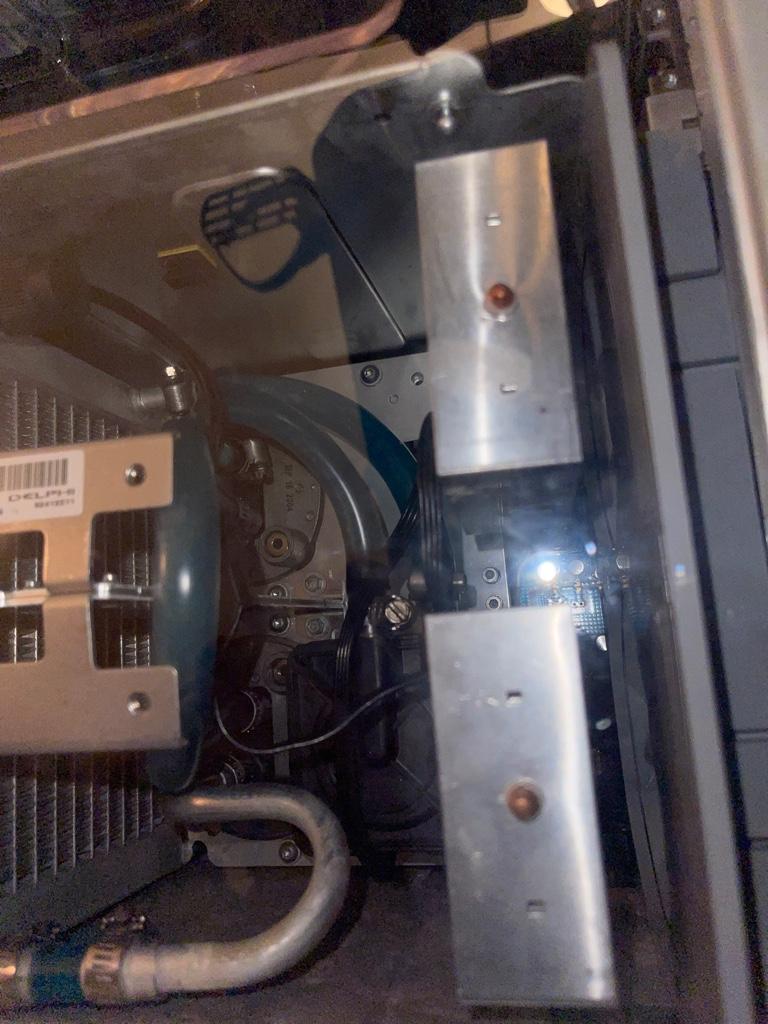
Once I get to check the temps I’ll report how well my rebuilt LCS solution is working!

Glad I have a way to get it to reliably POST now, even if I have to coax it a bit.
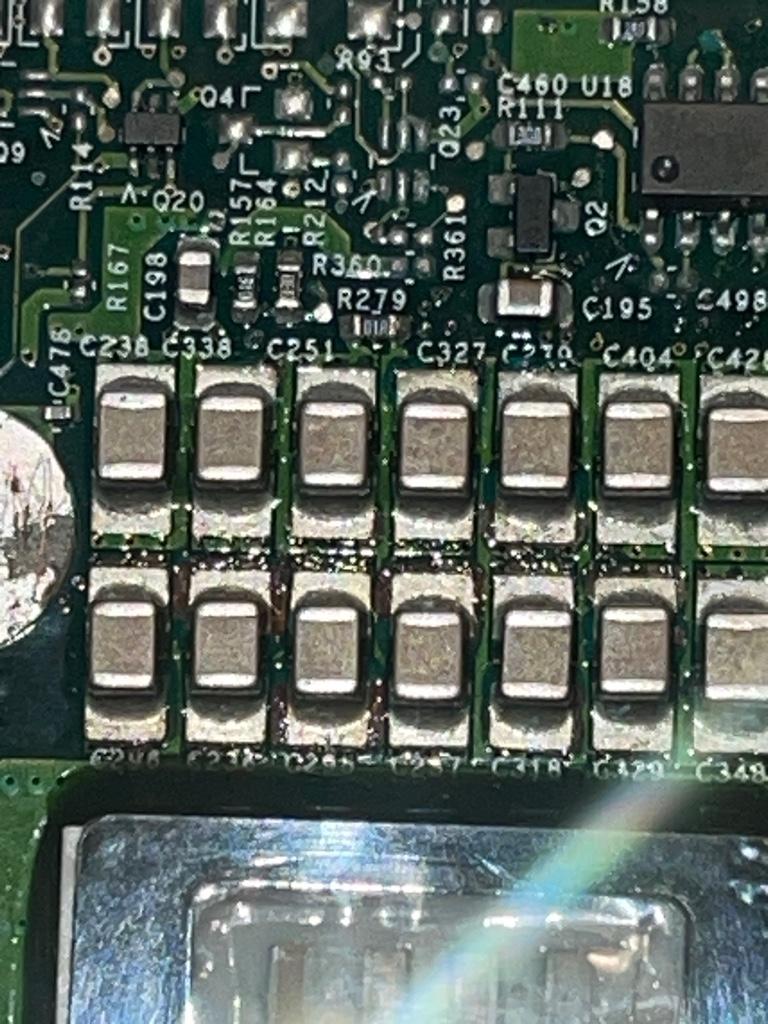
6d29a3976c4cd37d5a2e1811a199bd9d.jpg

90a6d6d492a9654761b0a0a2c6fb6a45.jpg

a28380b0d6a87b047b0027d5dad10baf.jpg

d5bdf519bbb1195e9f2616c886802034.jpg

0a52f4a2eb08665b84b06c64dd957355.jpg


For anyone looking for advice cleaning these corroded daughter boards and fixing the aftermath of the LCS leaks, I 100% recommend an electric toothbrush and a thick baking soda paste (mixed with distilled water). Pour the paste on the board, ensure it covers the whole board, then let it sit for about 10-15 minutes, come back and do a pass scrubbing in small circles, re-apply the paste and do a pass in long vertical strokes and a third pass in horizontal strokes. Do not use any metal wire brushes or harsh chemicals for cleaning, the electric toothbrush works great for this.

My recommendation after scrubbing is to rinse the board in distilled water and finally rinsing with 99% isopropyl alcohol. Put it in front of a fan to dry and in about 24 hours you should be able to give it a try

As a quick update, after getting 10.4 Server installed, it works for about 5-10 minutes and then hard locks up. I think this could be because of the high thermals, I noticed 75c on the CPU B. (I get 60c max under load on my quad) I will probably grab some Artic MX 40 silver and replace the thermal paste on my CPU and GPU as well, and then just be really careful alighting everything and tightening it down.
 
Last edited:
I have finally forced myself to sort out builds of XLD and Tunnelblick from source. Both ports are confirmed to work, though only primary functionality was tested. Consider these experimental at the moment.

XLD: https://github.com/macos-powerpc/powerpc-ports/commit/01f7ad6b03d67b49f6ce6fd6dd980f9498bf2adc
Tunnelblick: https://github.com/macos-powerpc/powerpc-ports/commit/f52e472c8b439dc8041108fcd254d3c379e26cdc

XLD is expected to install with no caveats. Launch the app normally, etc. A couple of exotic codecs have been dropped due to incomplete sources. Confirmed FLAC to ALAC conversion working fine.

Tunnelblick: pay attention to port notes, it needs a manual command to be run after installation (`port notes tunnelblick` will display those). Upon launch it will complain that easy-rsa is not installed blah-blah-blah. Those are plain text helper scripts which are not used for the primary functionality. I did not have time to address the issue, but VPN connection works without those.

Feedback is welcome, it gonna be helpful to know what does not work or works not as expected.

P. S. Anyone into Hi-Fi, I updated BlackOmega player to install as a Mac app bundle, which is probably more convenient (launching from command-line also works).
 
Am getting the G5 2.5 to POST almost 100% reliably now by just applying pressure to the memory controller when booting. Not the most convenient thing but it seems to only be a problem when POSTing. Haven't played around with much yet but the system hasn't crashed yet either after over 30 minutes - previously the temps were spiking up to 75c+ - after replacing the thermal paste and double checking everything was tightened, no more issues. CPU idles around 45c and pops up no higher than 60c under load.

With the slight caveat that the memory controller BGA chip is on its way out, I can almost confidently say the 2.5DP has been saved!

Hello, 2.5!
1769385446917.png
 
Am getting the G5 2.5 to POST almost 100% reliably now by just applying pressure to the memory controller when booting. Not the most convenient thing but it seems to only be a problem when POSTing. Haven't played around with much yet but the system hasn't crashed yet either after over 30 minutes - previously the temps were spiking up to 75c+ - after replacing the thermal paste and double checking everything was tightened, no more issues. CPU idles around 45c and pops up no higher than 60c under load.

With the slight caveat that the memory controller BGA chip is on its way out, I can almost confidently say the 2.5DP has been saved!

Hello, 2.5!
View attachment 2599054
The most powerful panther machine ever to exist (plz correct me if wrong)
 
FireWire booting was added the same time as USB booting: Open Firmware 3.2.4f1.
I don't know why a FireWire drive would not boot if you have Open Firmware 3.2.4f1 or later.
I would check the partition map and partitions with my dumpvols.sh script.

Apple disabled automatic USB booting for Open Firmware 4.8.7f1 / 5.1.7f1 and later but a patch can be added to restore that.
As I stated previously, some drives do not fully / properly enact all of the Firewire / 1394 features. My Western Digital drive is one in that group, with multiple posts on Apple Support forums on that model for the same reason.

Some suspect that drives like mine are just USB chipsets, with just enough cheating done with their IO to spoof firewire controllers to mount and use them.

I was livid when I found this out, as I purchased the drive 1.5 years before I ever tried to boot from it on Firewire side.
 
Taking full advantage of my snow day. Began by switching my 12" 1.5 PBG4 to stock Leopard. I haven't ever given it a real run on this machine + for some reason Sorbet just completely fails to install. I did do some of the AuroraSuite scripts to get it running a bit better but unfortunately the slowness compared to Tiger is pretty palpable at times. Still, it's good to have one of my laptops running stock 10.5 since I have Sorbet on others.

My bigger project has been on my 17" 1.67 PBG4. It runs OpenBSD and I've been trying to build all the various browsers available via Ports. It's been a whirlwind of dependencies - many of which I can just install normally after checking the makefile but some, of course, which I have to build. Thus far I've got Luakit, Vimb, and Surf built and running. While I appreciate the minimal interface it does still struggle quite a bit to render the modern web. I haven't quite figured out how to set alternative user agents or tinker with the settings, a consequence of the aforementioned minimal interface. At the moment it's building Otter Browser which, while I'm sure will not be as useful, I know from Linux experience will at least run smoother.

While Qtwebkit/GTK build just fine it seems QtWebEngine is broken for PPC. This rules out a few browsers which I'm sure would otherwise work, to say nothing of Rust. Although there's some hope there as we've seen in this forum recently.
 
Last edited:
While Qtwebkit/GTK build just fine it seems QtWebEngine is broken for PPC. This rules out a few browsers which I'm sure would otherwise work, to say nothing of Rust. Although there's some hope there as we've seen in this forum recently.

Both QtWebEngine and V8 are broken on ppc, yes, and I think WebKitGTK is also broken, though I am less sure here.
In effect, you will probably have more or less the same browsers on OpenBSD as we have on macOS, at least in terms of capabilities.
 
Both QtWebEngine and V8 are broken on ppc, yes, and I think WebKitGTK is also broken, though I am less sure here.
In effect, you will probably have more or less the same browsers on OpenBSD as we have on macOS, at least in terms of capabilities.

Bonslack page says qtwebeingine might be patchable?


The "hard" porting challenge was qtwebengine inside qt5, since it is based on Chromium and the latter has only official support for x86, arm, aarch64 and mipsel (Android architectures...). The porting to ppc, ppc64, ppc64le, mips, mips64el, riscv64, s390x, and sparc was based on PowerPC and BigEndian porting, plus some additional patches where needed.

links lead to those projects


Both QtWebEngine and V8 are broken on ppc, yes, and I think WebKitGTK is also broken, though I am less sure here.
In effect, you will probably have more or less the same browsers on OpenBSD as we have on macOS, at least in terms of capabilities.
What a few of them do have going is OAuth2 and similar site accessibility. Outlook and Twitter/X are both accessible on OpenBSD using surf or vimb but I haven't had any luck with the ports available on Snow Leopard.
 
Finally moved over to team iTerm. Added a few extra zsh plugins too - full autocomplete, faster syntax highlighting, moving to `powerlevel10k` theme instead of default `robbyrussell`

1769495475801.png


The inline command suggestions, typo corrections, sudo plugin, and tab completions are a huge timesaver. Still blows my mind that this is even possible.

This would probably slow to a crawl on anything below a G5. But I'm planning on uploading a repo with my dotfiles soon and some basic instructions to replicate this sort of setup (Obama picture optional of course 😛)

I also tried testing out Pywal https://github.com/dylanaraps/pywal and it works, just not with the ImageMagick backend. Use MacPorts to install `py310-pillow` and `py310-colorthief`, then `pip3 install pywal` and run `wal -i <path to image> --backend colorthief`!

1769496459254.png


As you can see, it changes the color of the title bar too.
 
Last edited:
What a few of them do have going is OAuth2 and similar site accessibility. Outlook and Twitter/X are both accessible on OpenBSD using surf or vimb but I haven't had any luck with the ports available on Snow Leopard.
X works on White Star, but it is incredibly slow and video playback doesn't work.
 
  • Like
Reactions: barracuda156
Finally moved over to team iTerm. Added a few extra zsh plugins too - full autocomplete, faster syntax highlighting, moving to `powerlevel10k` theme instead of default `robbyrussell`

View attachment 2599382

The inline command suggestions, typo corrections, sudo plugin, and tab completions are a huge timesaver. Still blows my mind that this is even possible.

This would probably slow to a crawl on anything below a G5. But I'm planning on uploading a repo with my dotfiles soon and some basic instructions to replicate this sort of setup (Obama picture optional of course 😛)

I also tried testing out Pywal https://github.com/dylanaraps/pywal and it works, just not with the ImageMagick backend. Use MacPorts to install `py310-pillow` and `py310-colorthief`, then `pip3 install pywal` and run `wal -i <path to image> --backend colorthief`!

View attachment 2599384

As you can see, it changes the color of the title bar too.
That background picture XD
 
Ghostscript dies with a really nasty looking segfault.

1769508745000.png


This ends up blocking ImageMagick, which blocks the pywal default backend and fastfetch on Leopard.
 
Register on MacRumors! This sidebar will go away, and you'll see fewer ads.