

I made App Trust Preview, a Mac app that helps you understand Mac software before you open or install it.
It performs static analysis of Mac apps, installer packages, disk images, executable files, and readable scripts. Instead of showing raw developer output, it explains in plain language what macOS can verify about the software, which protections it uses, what access it may request, and which findings deserve a closer look.
The goal is simple. Give you useful evidence before you decide whether opening or installing something looks reasonable.
The inspected file stays on your Mac.
Each report begins with one of four clear summaries.
The report then explains the evidence it found, including the following details when available.
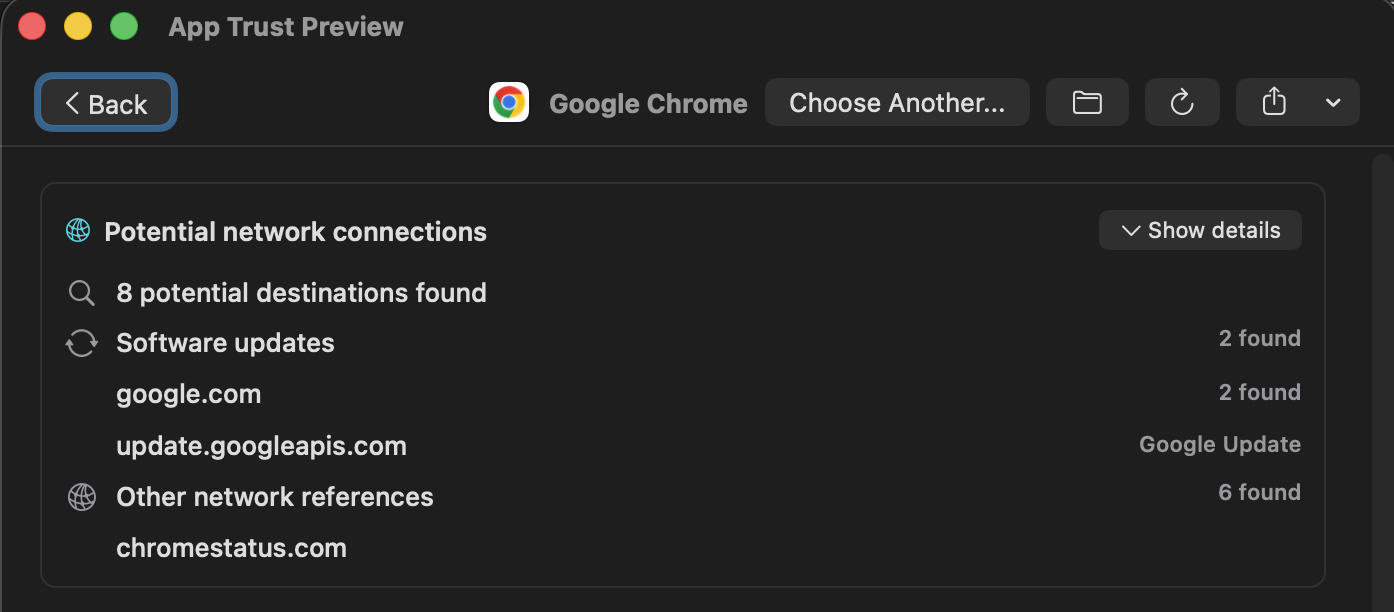
App Trust Preview statically searches executables, resources, and other files for domains and URLs. It groups them into categories such as analytics, advertising, crash reporting, updates, cloud services, and social platforms.
These are potential destinations found inside the files, not proof that the app contacted them.
Reports include SHA-256, SHA-1, and MD5 hashes for target executables. You can copy a hash or open a VirusTotal lookup with one click.

App Trust Preview explains access the software may request, including Camera, Microphone, Location, Contacts, Calendar, Photos, Bluetooth, Apple Events, Screen Recording, Accessibility, Input Monitoring, Local Network, and other sensitive capabilities.
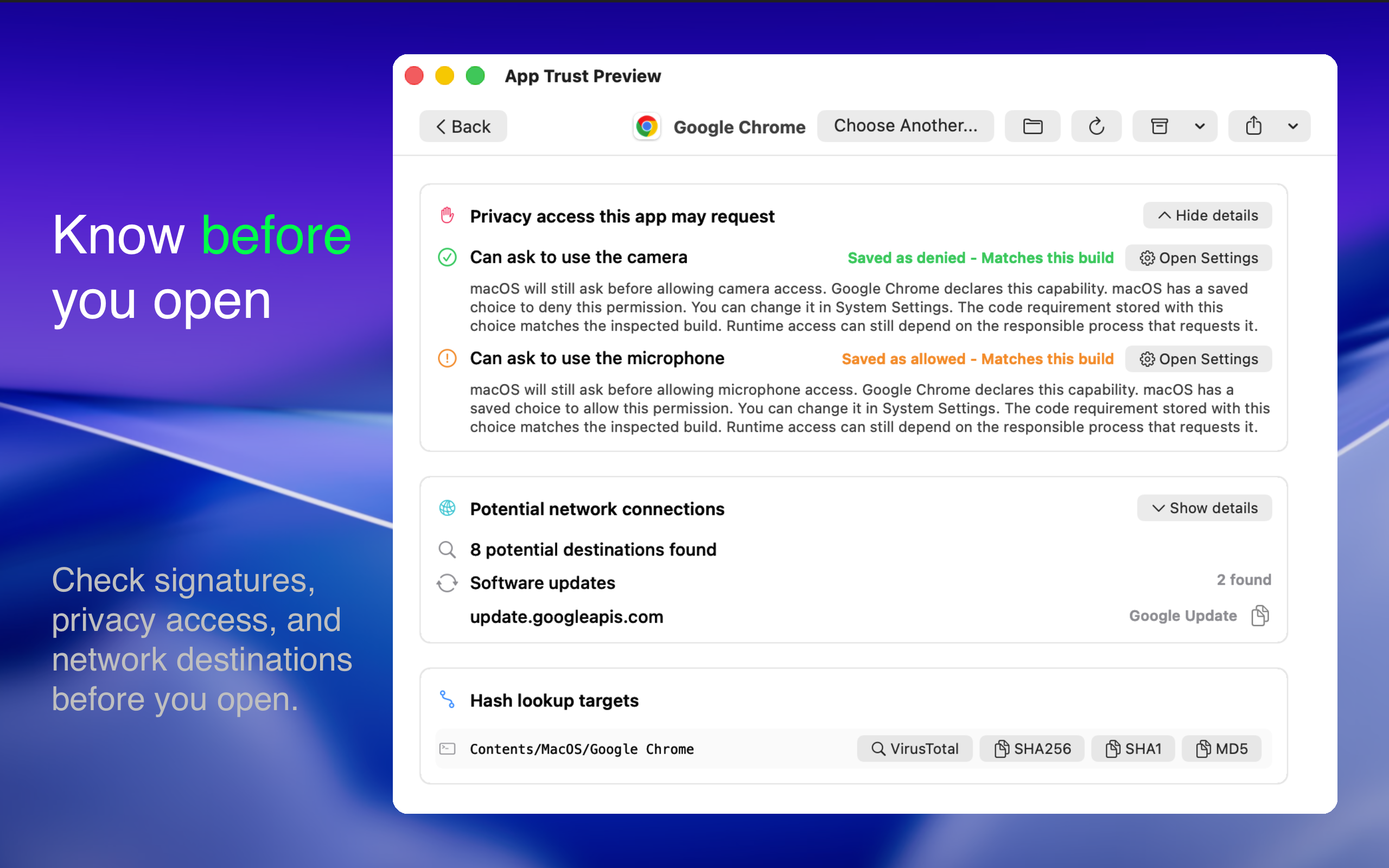
When available, it also shows saved macOS privacy decisions such as Allowed, Denied, Limited, Add-only, Not determined, or Unknown. It indicates whether those decisions match the exact build being inspected.
If an app does not declare a required purpose string in its Info.plist, macOS will refuse that permission. App Trust Preview explains this instead of presenting every permission-related detail as a threat.
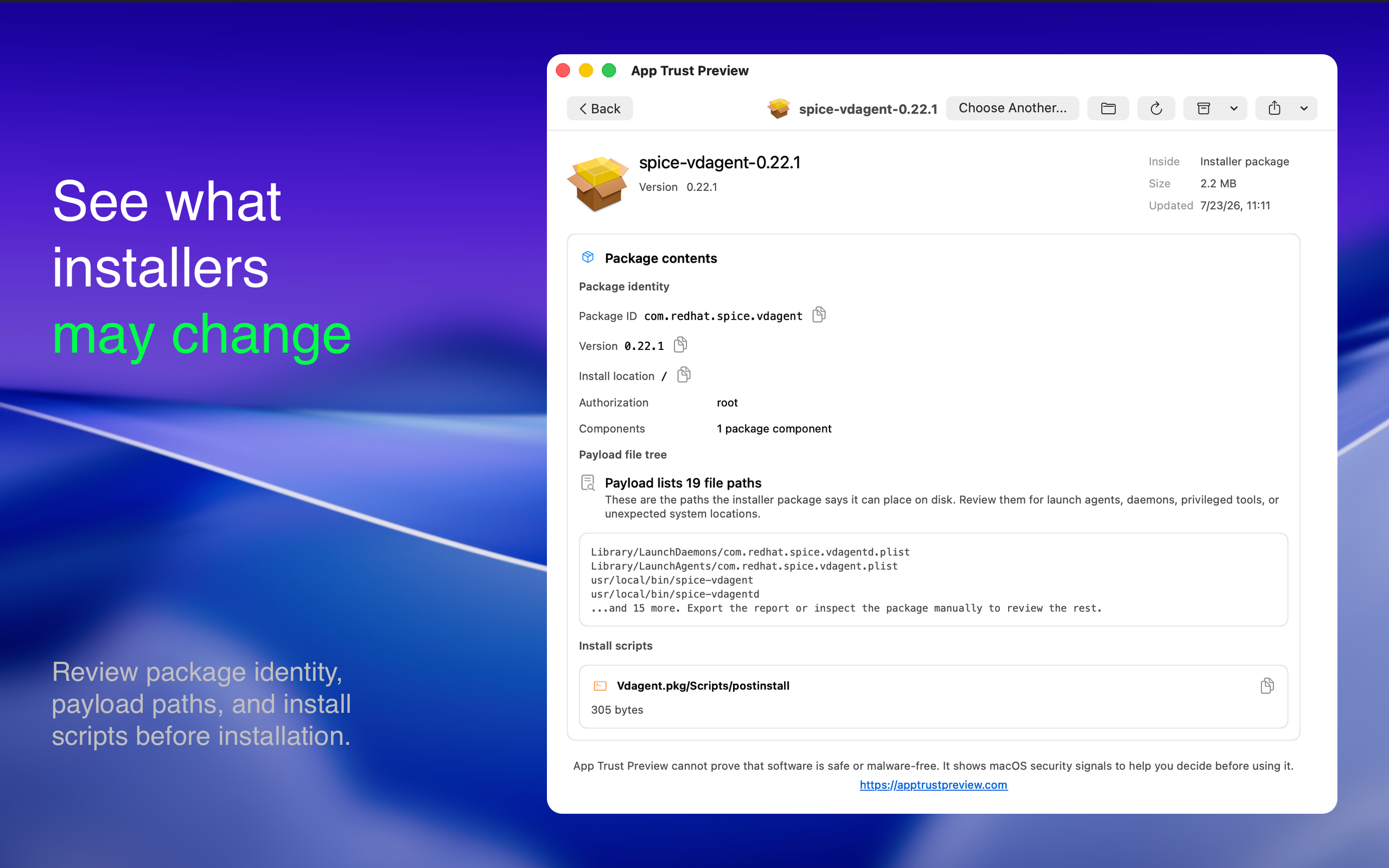
For installer packages, App Trust Preview can inspect package components, install locations, authorization requirements, install scripts, and contained files when available.
For disk images, it can inspect both the container and a supported app inside it. After installing an app from a downloaded DMG, you can optionally move the DMG to the Trash.
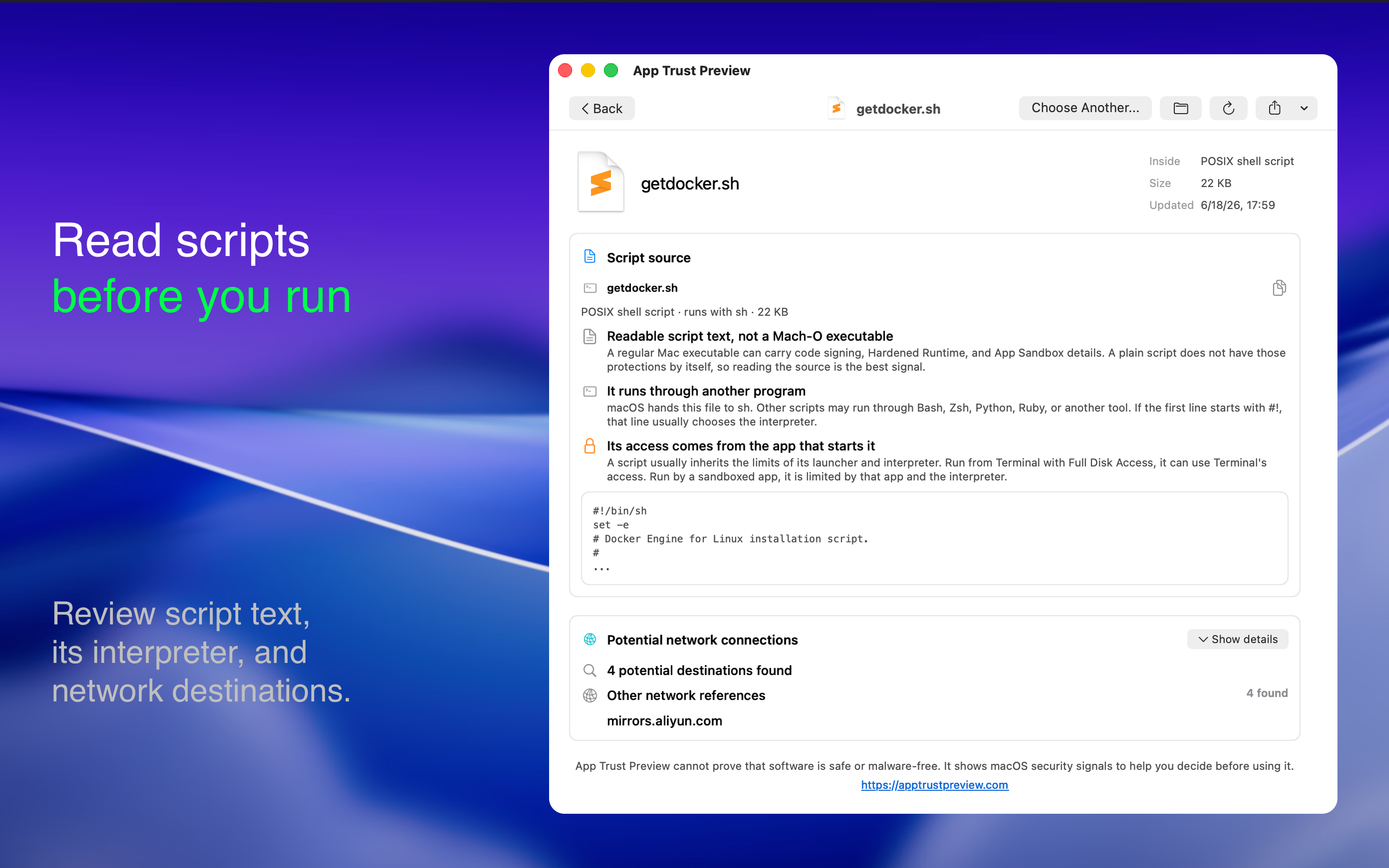
For executable files and readable scripts, reports can include the Mach-O platform, minimum macOS version, SDK, linked libraries, runtime search paths, code-signing details, and a readable script preview.
App Trust Preview checks nested components such as helper tools, nested apps, app extensions, XPC services, frameworks, dynamic libraries, and plug-ins.
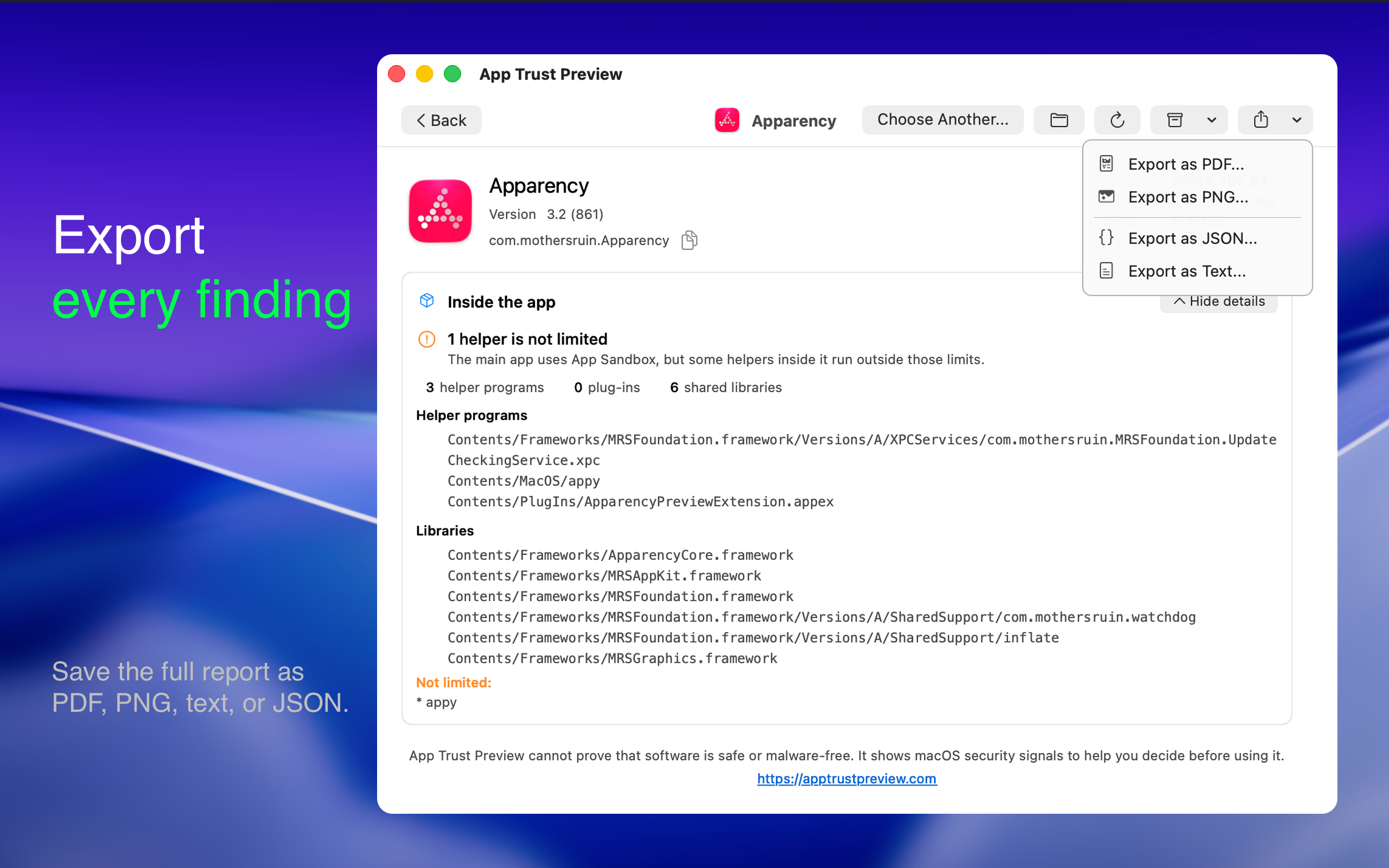
Each component is checked for signing and sandbox status. This can reveal an important distinction that simpler tools miss, such as a sandboxed main app that contains an unsandboxed helper. Important entitlement warnings include the path of the affected component.
Power users can also inspect certificate chains and fingerprints, CDHashes, designated requirements, provisioning profiles, Mach-O architectures, linked libraries, entitlements, quarantine status, private API indicators, package contents, and script previews.
Reports can be exported as PDF, PNG, JSON, or plain text. The command line interface exports JSON or text for scripts, support workflows, security reviews, and AI-assisted analysis.
Run the following command to see the current options.
For example, this prints a JSON report for an app.
The command line uses the same local inspection system and includes the same security findings as the app. An AI agent can read the exported report without requiring you to upload the inspected software itself.
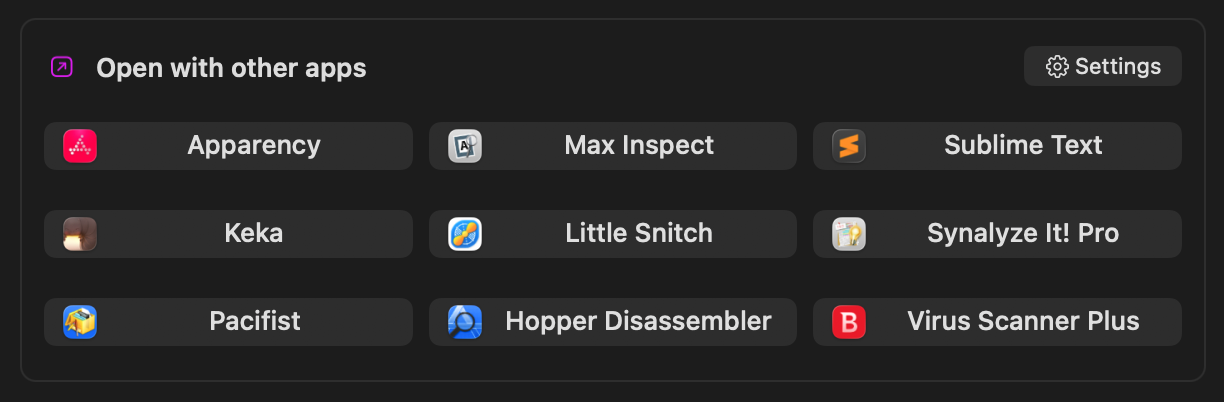
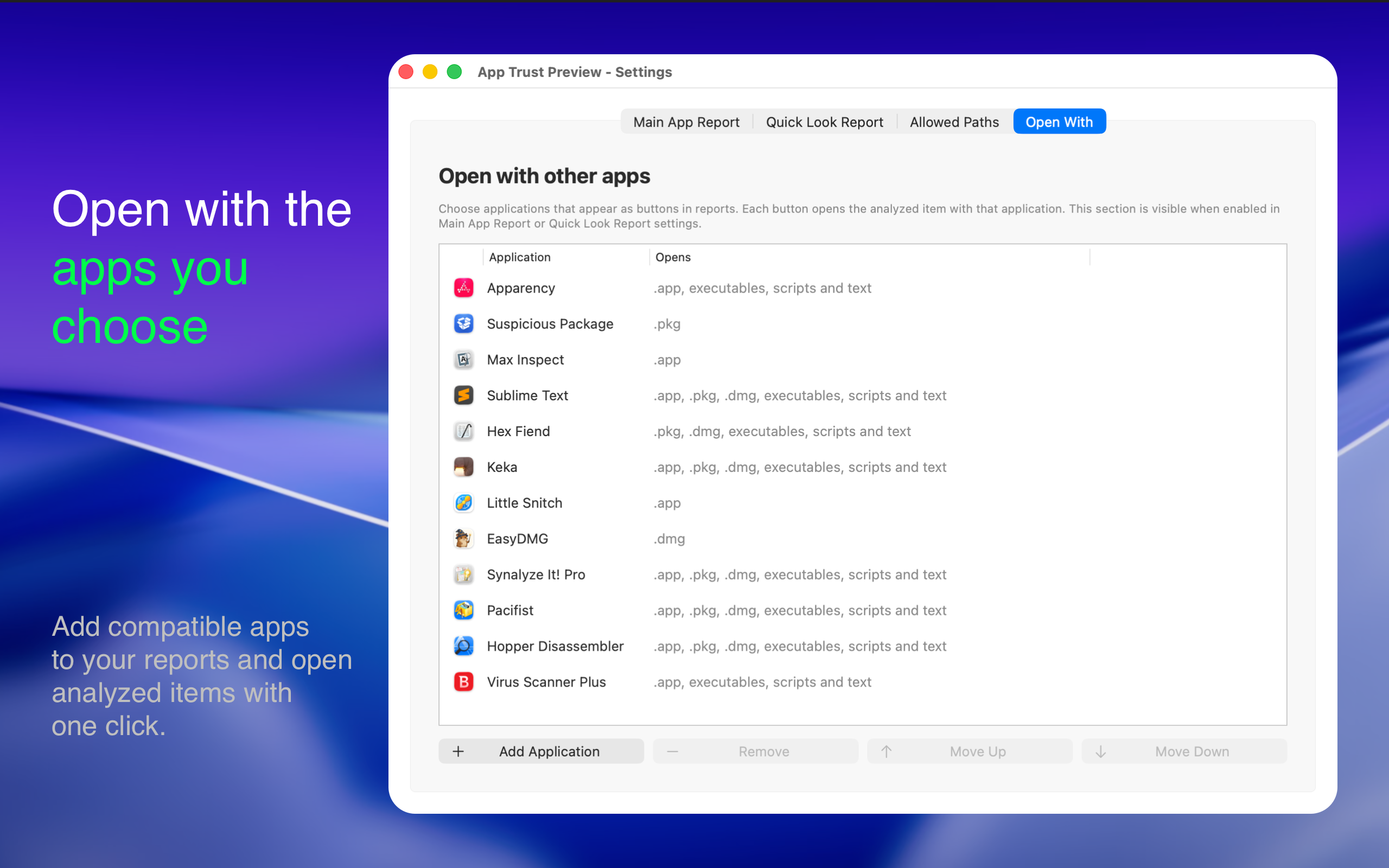
Add antivirus scanners, disk image utilities such as EasyDMG, editors, or other compatible tools to the report view. You can then open the analyzed target in any of them with one click.
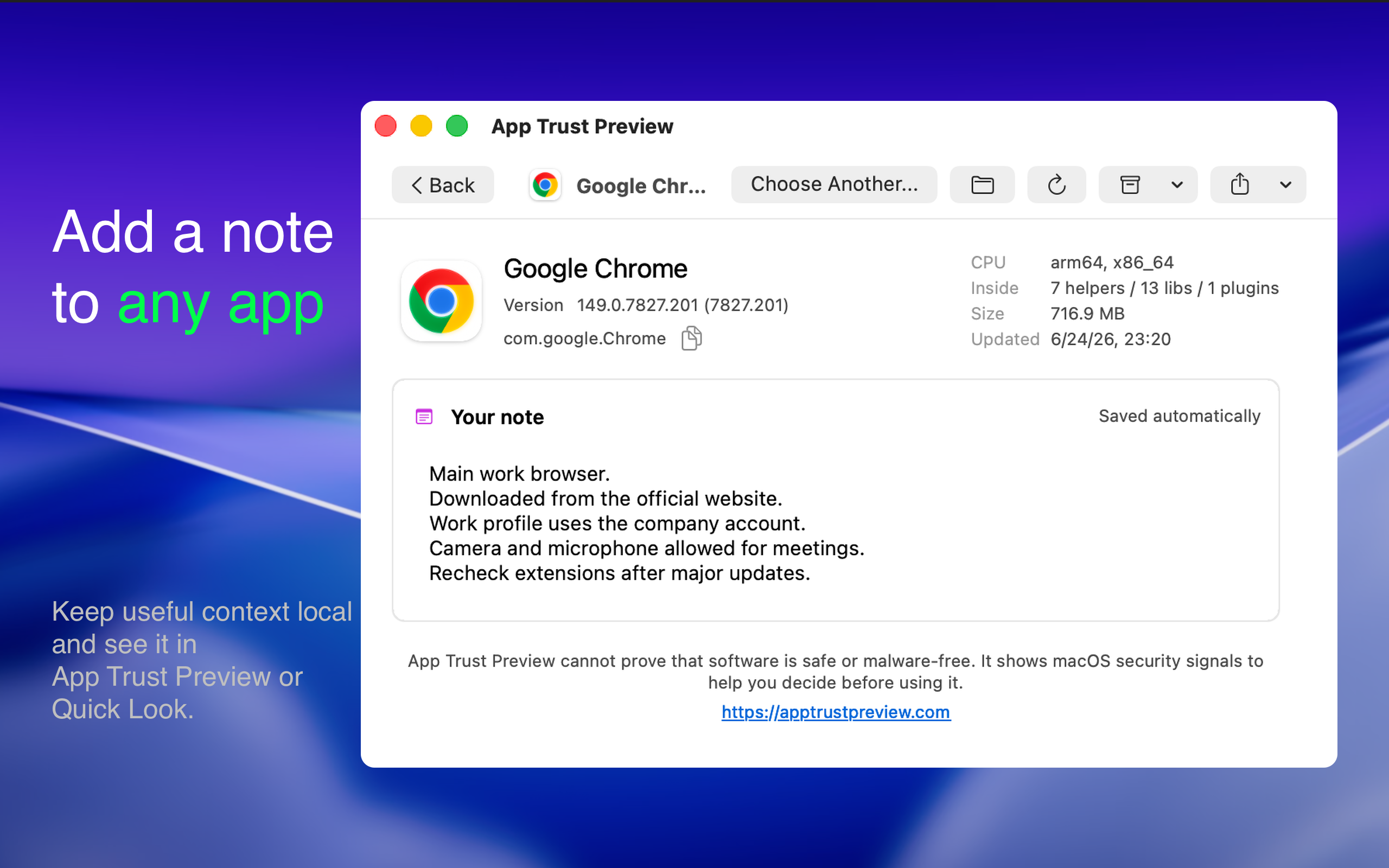
Record why you trust an app, where it came from, which permissions you approved, or what you want to check after an update. Notes save automatically and appear in App Trust Preview and Quick Look.
App Trust Preview is not antivirus software and cannot guarantee that something is safe or malware-free. It presents security signals that can be verified from files on disk and explains what those signals mean in practical terms.
You do not need to understand Hardened Runtime, entitlements, Mach-O metadata, or code-signing output. App Trust Preview explains what the software may access, which macOS protections are present, and where you may want to investigate further.
You can find App Trust Preview in the Mac App Store or visit https://apptrustpreview.com
It performs static analysis of Mac apps, installer packages, disk images, executable files, and readable scripts. Instead of showing raw developer output, it explains in plain language what macOS can verify about the software, which protections it uses, what access it may request, and which findings deserve a closer look.
The goal is simple. Give you useful evidence before you decide whether opening or installing something looks reasonable.
How you can use it
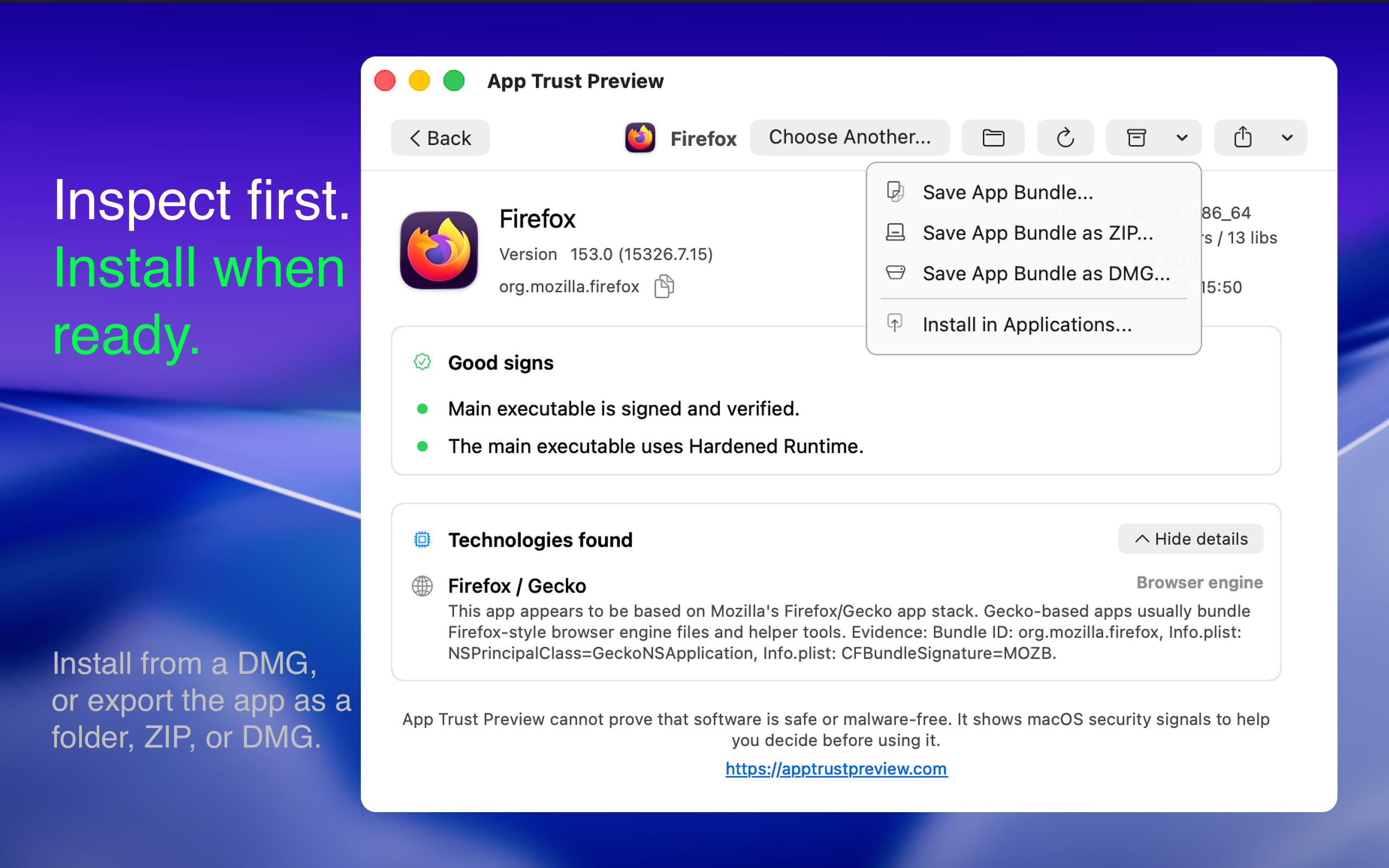
- Drop a supported file onto the app or choose one from Finder
- Select a supported file in Finder and press Space to inspect it with the included Quick Look extension
- Open several reports at once in separate windows
- Choose which report sections are visible and change their order
- Export reports for sharing or automation
Local analysis without launching the software
The inspected file stays on your Mac.
- App Trust Preview never uploads the inspected file
- It never launches or modifies the inspected app, package, disk image, executable, or script
- It does not grant or revoke permissions
- The app makes no network requests for its analysis
- Certificate revocation status is provided by macOS's own trust service
- Optional VirusTotal links open only when you choose them
A readable verdict and the evidence behind it
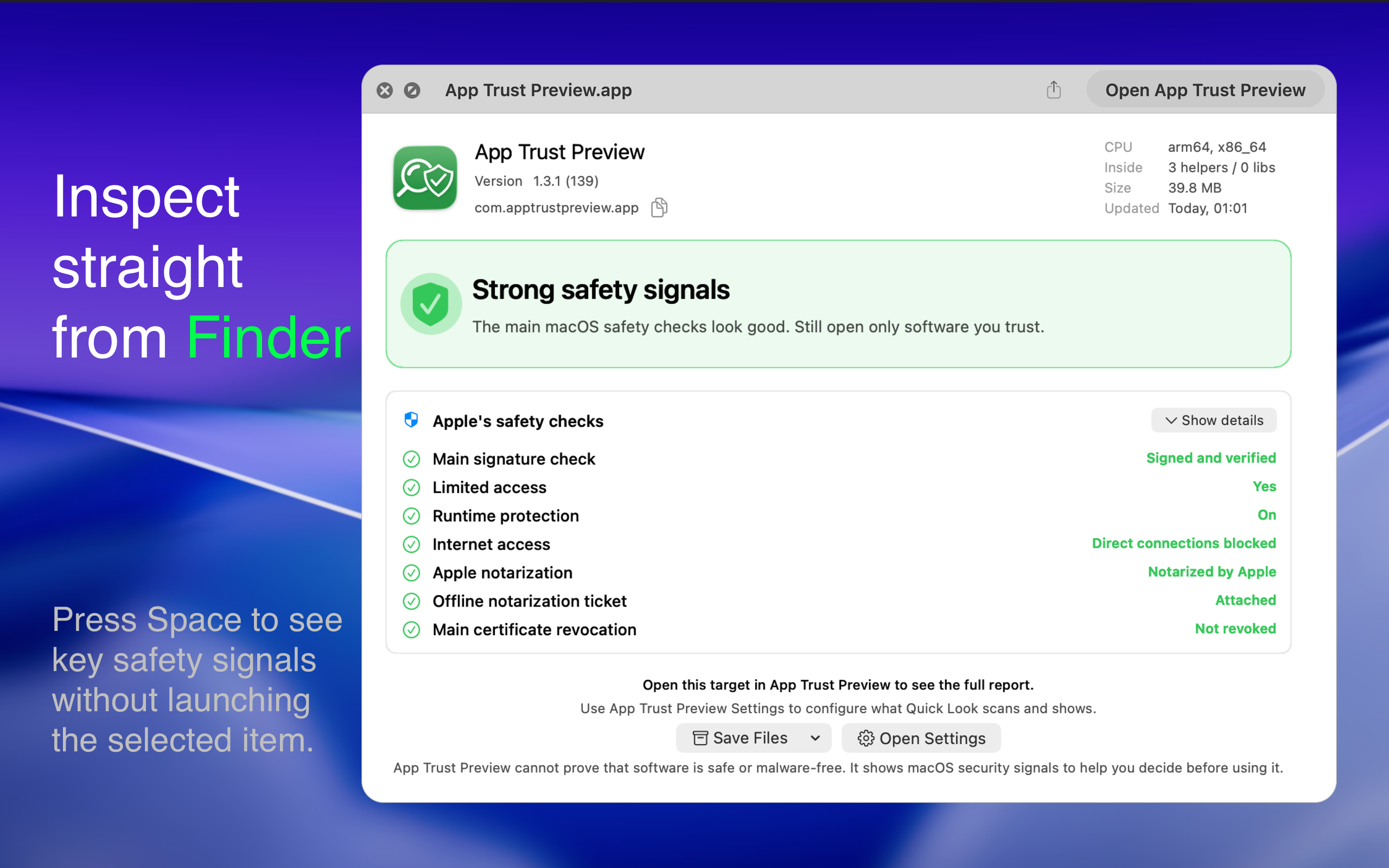
Each report begins with one of four clear summaries.
- Strong safety signals
- A few things to know
- Some signals are weaker than usual
- Not enough information
The report then explains the evidence it found, including the following details when available.
- Signing identity, developer name, Team ID, bundle identifier, and version
- Notarization status and whether a ticket is attached for offline verification
- Sandboxing, Hardened Runtime, and important entitlement warnings
- Prominent warnings when software can load unvalidated third-party code or use unsigned executable memory
- Warnings for development builds that allow debugger attachment or use development push notifications
- Privacy permissions the software may request and whether saved decisions match the inspected build
- Internet access declared by the app
- Quarantine and download-related information
- Signing and sandbox status of bundled helpers and other components
- Detected technologies such as AppKit, Chromium, Electron, Flutter, Qt, SwiftUI, Java, and Python when they can be confirmed
Potential network destinations
App Trust Preview statically searches executables, resources, and other files for domains and URLs. It groups them into categories such as analytics, advertising, crash reporting, updates, cloud services, and social platforms.
These are potential destinations found inside the files, not proof that the app contacted them.
Executable hashes
Reports include SHA-256, SHA-1, and MD5 hashes for target executables. You can copy a hash or open a VirusTotal lookup with one click.
Privacy permissions in context
App Trust Preview explains access the software may request, including Camera, Microphone, Location, Contacts, Calendar, Photos, Bluetooth, Apple Events, Screen Recording, Accessibility, Input Monitoring, Local Network, and other sensitive capabilities.
When available, it also shows saved macOS privacy decisions such as Allowed, Denied, Limited, Add-only, Not determined, or Unknown. It indicates whether those decisions match the exact build being inspected.
If an app does not declare a required purpose string in its Info.plist, macOS will refuse that permission. App Trust Preview explains this instead of presenting every permission-related detail as a threat.
Apps, packages, disk images, executables, and scripts
For installer packages, App Trust Preview can inspect package components, install locations, authorization requirements, install scripts, and contained files when available.
For disk images, it can inspect both the container and a supported app inside it. After installing an app from a downloaded DMG, you can optionally move the DMG to the Trash.
For executable files and readable scripts, reports can include the Mach-O platform, minimum macOS version, SDK, linked libraries, runtime search paths, code-signing details, and a readable script preview.
Checks inside the app bundle
App Trust Preview checks nested components such as helper tools, nested apps, app extensions, XPC services, frameworks, dynamic libraries, and plug-ins.
Each component is checked for signing and sandbox status. This can reveal an important distinction that simpler tools miss, such as a sandboxed main app that contains an unsandboxed helper. Important entitlement warnings include the path of the affected component.
Power users can also inspect certificate chains and fingerprints, CDHashes, designated requirements, provisioning profiles, Mach-O architectures, linked libraries, entitlements, quarantine status, private API indicators, package contents, and script previews.
Command line and report exports
Reports can be exported as PDF, PNG, JSON, or plain text. The command line interface exports JSON or text for scripts, support workflows, security reviews, and AI-assisted analysis.
Run the following command to see the current options.
Code:
"/Applications/App Trust Preview.app/Contents/MacOS/App Trust Preview" --helpFor example, this prints a JSON report for an app.
Code:
"/Applications/App Trust Preview.app/Contents/MacOS/App Trust Preview" --export json --target "/path/to/App.app"The command line uses the same local inspection system and includes the same security findings as the app. An AI agent can read the exported report without requiring you to upload the inspected software itself.
Open with the apps you choose
Add antivirus scanners, disk image utilities such as EasyDMG, editors, or other compatible tools to the report view. You can then open the analyzed target in any of them with one click.
Keep a personal note for each app
Record why you trust an app, where it came from, which permissions you approved, or what you want to check after an update. Notes save automatically and appear in App Trust Preview and Quick Look.
What App Trust Preview does not claim
App Trust Preview is not antivirus software and cannot guarantee that something is safe or malware-free. It presents security signals that can be verified from files on disk and explains what those signals mean in practical terms.
You do not need to understand Hardened Runtime, entitlements, Mach-O metadata, or code-signing output. App Trust Preview explains what the software may access, which macOS protections are present, and where you may want to investigate further.
You can find App Trust Preview in the Mac App Store or visit https://apptrustpreview.com
Last edited:


