
Got a tip for us?
Let us know
Become a MacRumors Supporter for $50/year with no ads, ability to filter front page stories, and private forums.
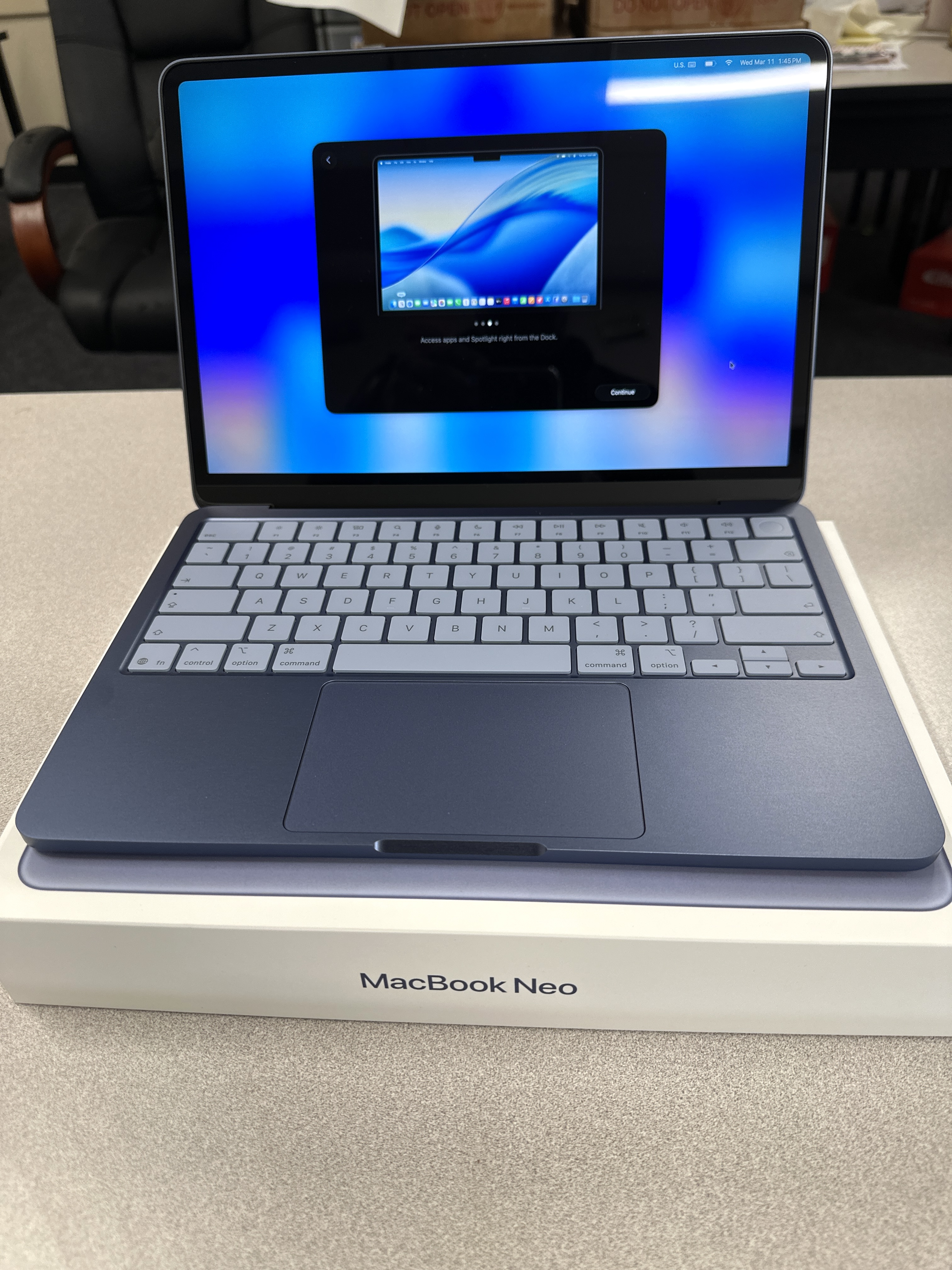
How will you be stress testing your MacBook Neo?
- Thread starter 0423MAC
- Start date
- Sort by reaction score
You are using an out of date browser. It may not display this or other websites correctly.
You should upgrade or use an alternative browser.
You should upgrade or use an alternative browser.


4sallypat
macrumors 603
That's like comparing apples to oranges.I’m planning on just using my 512GB Neo the same as I use my M4 MB Pro and see what differences I notice.

Zazoh
macrumors 68000
Serious Question. With a fanless device, does putting a case on it cause it to be less efficient when dissipating heat? I don't use a case on my phone and would never put one on a Laptop, oddly I have one on my iPad to make it easier to hold. But I had always wondered about this ...
4sallypat
macrumors 603
Does not appear to affect function / speed.Serious Question. With a fanless device, does putting a case on it cause it to be less efficient when dissipating heat? I don't use a case on my phone and would never put one on a Laptop, oddly I have one on my iPad to make it easier to hold. But I had always wondered about this ...
I have a case on my MBA, MBP, 12" rMB, and iPhone Air.
jdclifford
macrumors 65816
It’s more like seeing how close the Neo can perform average tasks compared to m4 MBPro. I’ll continue to use my MBPro for whatever needs the Neo can’t handle. The Neo will remain a secondary family device.That's like comparing apples to oranges.
4sallypat
macrumors 603
Ah I see - I am going to compare my Neo against my 9 year old 12" rMB.It’s more like seeing how close the Neo can perform average tasks compared to m4 MBPro. I’ll continue to use my MBPro for whatever needs the Neo can’t handle. The Neo will remain a secondary family device.
After the data transfer, I plan on installing FCP (Pro Apps bundle) and see how it handles video editing (simple stuff).
Never would have thought to put FCP on an Intel i5 machine for sure....

Steve121178
macrumors 604
The Neo will trash your crappy 12 rMBP which was underpowered landfill the day it launched. You won't notice any real world difference with the M2 and Neo apart from all the obvious hardware downgrades on the Neo.I have 2 on Wednesday that will be in hand - will be transferring over from existing computers into the Neos and see how they handle them.
12" rMB is my travel / bedside Mac and will be tested / transferred to the Citrus Neo.
M2 MBA is my work Mac and will be tested after transferring to the Indigo Neo.
View attachment 2611236
I've just saved you at least $1200.
Onimusha370
macrumors 65816
Just been playing Resident Evil 4 Remake on my base Neo. I've been getting a very playable 50-60fps on medium settings at 1080p in most of the game, with drops into the low 40s in fight sequences. Pretty incredible considering it's only using 10W.
Not planning on using it for gaming in general, but cool to know it can, albeit at low settings.
Not planning on using it for gaming in general, but cool to know it can, albeit at low settings.

Andeddu
macrumors 68020
I’ll be doing the same with the Resident Evil series.Just been playing Resident Evil 4 Remake on my base Neo. I've been getting a very playable 50-60fps on medium settings at 1080p in most of the game, with drops into the low 40s in fight sequences. Pretty incredible considering it's only using 10W.
Not planning on using it for gaming in general, but cool to know it can, albeit at low settings.
Other than that, I only plan on streaming TV shows, YouTube, web browsing and some word processing along with FaceTime calls.
the fact that it's able to run it at 1080p is great. I was thinking 720p would likely be the sweet spot for resolution and settings on a 13" screenJust been playing Resident Evil 4 Remake on my base Neo. I've been getting a very playable 50-60fps on medium settings at 1080p in most of the game, with drops into the low 40s in fight sequences. Pretty incredible considering it's only using 10W.
Not planning on using it for gaming in general, but cool to know it can, albeit at low settings.
Here are my Geekbench 6 results for those interested. I ran GB6 on my M4 Mac mini, MB Neo, M3, iPad Air, 2018 iPad Pro, and several W11 machines.

So far the Neo is working fine. Safari with 14 tabs open is only using 6.29 GB of Ram with no swap used.
So far the Neo is working fine. Safari with 14 tabs open is only using 6.29 GB of Ram with no swap used.

Non-Euclidean
macrumors 6502a
Non-Euclidean
macrumors 6502a
Stress testing in 2026:Stress testing a product of a bygone era.
Just use and enjoy the laptop as you normally would
Trying a new piece of hardware and trying not to have a mental breakdown over its performance.

Rich74
macrumors 6502
I will be forcing it to watch back to back influencer videos on YouTube and will not allow it to take a comfort break.
Non-Euclidean
macrumors 6502a
That's the one you are buying for the wife, right?Dropping it from table height as soon as I take it out of the box.
I will be forcing it to watch back to back influencer videos on YouTube and will not allow it to take a comfort break.
It will need a therapist after all of that. 😂
4sallypat
macrumors 603
50 Chromebook tabs open, 20 Safari tabs open, 2 Firefox tabs open and FCP open.
All working perfectly - no slowdown, no spinning beach balls, no heating up.
Amazing!
All working perfectly - no slowdown, no spinning beach balls, no heating up.
Amazing!
50 Chromebook tabs open, 20 Safari tabs open, 2 Firefox tabs open and FCP open.
All working perfectly - no slowdown, no spinning beach balls, no heating up.
Amazing!
View attachment 2612477
Can you show us the memory usage when you open all of this?
Rich74
macrumors 6502
It’ll definitely be stressed.It will need a therapist after all of that. 😂
poematik13
macrumors 68000
Was working on web stuff today and had to convert a 4K .mov file to mp4, i opened handbrake and the neo smashed through it in 5-6 seconds haha.
also i am constantly at 2GB swap file but dont see or sense any lag or anything aside from the usual crappy tahoe lag.
15-20 firefox tabs, steam, dropbox, messages, and calender all open
It's truly over for windows craptops- this thing runs just like an MBA for $500.
also i am constantly at 2GB swap file but dont see or sense any lag or anything aside from the usual crappy tahoe lag.
15-20 firefox tabs, steam, dropbox, messages, and calender all open
It's truly over for windows craptops- this thing runs just like an MBA for $500.
4sallypat
macrumors 603
Agree, my Neo performed flawlessly with FCP editing - just slower than my Studio Max.Was working on web stuff today and had to convert a 4K .mov file to mp4, i opened handbrake and the neo smashed through it in 5-6 seconds haha.
also i am constantly at 2GB swap file but dont see or sense any lag or anything aside from the usual crappy tahoe lag.
15-20 firefox tabs, steam, dropbox, messages, and calender all open
It's truly over for windows craptops- this thing runs just like an MBA for $500.
Not that the Neo will replace my Studio Max, but with a paltry 8GB of unified memory, it handled it very well - exceeded my expectations.
I thought it was going to stop/crash/stutter/spinning beach ball city....
I posted this thread before the Neo was in my hands:
https://forums.macrumors.com/thread...-question-will-it-even-load-on-a-neo.2478789/
poematik13
macrumors 68000
I thought it was going to stop/crash/stutter/spinning beach ball city....
I was expecting beachballs too, but this thing has yet to lag. It's incredible.
I did not install FCP on mine (i have a 16" M3 Pro for that) but if they make a 12GB ram model later on, I will definitely try.
Oh, and this thing needs a 5G modem for SURE. I take it with me everywhere I go and tethering is getting annoying.
Having the option to get cellular would be nice for the Neo, Air, and Pro.
That is one of the advantages of the iPad. The disadvantage is that an iPad won't run the MacOS apps I need when portable. Hence why I bought the Neo and am keeping the iPad Air.
That is one of the advantages of the iPad. The disadvantage is that an iPad won't run the MacOS apps I need when portable. Hence why I bought the Neo and am keeping the iPad Air.