
Got a tip for us?
Let us know
Become a MacRumors Supporter for $50/year with no ads, ability to filter front page stories, and private forums.
MacBook Air owner's setups here
- Thread starter entatlrg
- Start date
- Sort by reaction score
You are using an out of date browser. It may not display this or other websites correctly.
You should upgrade or use an alternative browser.
You should upgrade or use an alternative browser.

theSeb
macrumors 604
deafgoose, can you tell me what desk that is?
----------
It looks like a set-up to grow "special, medicinal plants". *thumbs up*
----------
BTW what are the black thingies on the wall to the left?
It looks like a set-up to grow "special, medicinal plants". *thumbs up*

Kroner
macrumors regular
deafgoose, that chair looks amazing. BTW what are the black thingies on the wall to the left?
Gordy , thats the sexiest arm i've seen - almost a shame to hide it behind the iMac!
Isn´t it a ATD? 😛
deafgoose, can you tell me what desk that is?
I think it is this one?
Last edited:

tanhm
macrumors regular
jt is so cool man
I've done some more work on my desk area this weekend. I've added a Cable port to my desk. It's a brushed Aluminium one that matches the macbook air. Fitting the port was a real pig, but worth doing.
Image
The setup is a 27in Apple Cinema Display, 11in Macbook Air Core i5 128GB. With the cable port in place I can tidy up the pretty awkward Cinema Display cable.
After a bit of work on Saturday, I've mounted my 27in ACD onto a Humanscale M7 Monitor Stand. I've done this for two reasons, one is that by default the ACD is a touch too low for me. With the Humanscale I can adjust it to suit my needs. Also the stand whilst an ok place to put my Macbook Air, it cause the Air to move too easily when pulling cables etc out.
Image
I already had the Humanscale M7 mount in the loft, so the only thing I needed was the Apple VESA adapter. I've fitted one on the previous generation of Cinema Displays and that was very hard. The current ones are so much easier. The hidden screws are such an clever bit of engineering. Something only Apple would do.
Image
I don't use the full adjustment on the mount as I don't need it all at present.
Image
With this setup I'm down to so few cables under the desk. It's crazy how far Apple have come with thinning out the cable mess over the last few years. My cable try underneath the desk looks rather sparse now.
More Pics can be found here on my flickr
http://gordy.me/v

Gordy , thats the sexiest arm i've seen - almost a shame to hide it behind the iMac!
Yeah I know what you mean. I can see it when I come home through the window though 😀
I'm thinking of removing the extra links as I don't really need them. It would reduce the weight on the desk a bit. Not sure yet. I'll leave it for a few weeks.
I've now got a new camera so some better shots are possible too.
MikeFromTexas
macrumors member
1. MB Air i5 13 inch screen, 2011 mid year, 128 mb flash.
2. Main is an iMac 27 inch i5 1TB HD, mid 2011 model.
3. iPad 1, iPhone 4.
4. 2007 MacBook white plastic -- still going strong, good to have a spare.
5. VMWare Fusion, mutiple Virtual Machines, on both iMac and Air.
6. Dell Latitude 13, for when you just have to have a native Windows 7 box.
7. I carry the Air in a Waterfield Design Small Cargo bag.
8. Use an Acme Sleeve.
My Air is my portable office and goes with me almost everywhere, with the iPad slipped inside the bag as well. The bag has all my Power Supplies, adapters, etc, along with a 4g LTE air card (I am in Dallas, so we have pretty good AT&T coverage). My main requirement is connectivity -- as long as I can get on the Internet I am good to do 99% of my work, wherever I am. The Air along with the small Cargo bag makes an incredibly light, compact package, that is simple to tote around.
2. Main is an iMac 27 inch i5 1TB HD, mid 2011 model.
3. iPad 1, iPhone 4.
4. 2007 MacBook white plastic -- still going strong, good to have a spare.
5. VMWare Fusion, mutiple Virtual Machines, on both iMac and Air.
6. Dell Latitude 13, for when you just have to have a native Windows 7 box.
7. I carry the Air in a Waterfield Design Small Cargo bag.
8. Use an Acme Sleeve.
My Air is my portable office and goes with me almost everywhere, with the iPad slipped inside the bag as well. The bag has all my Power Supplies, adapters, etc, along with a 4g LTE air card (I am in Dallas, so we have pretty good AT&T coverage). My main requirement is connectivity -- as long as I can get on the Internet I am good to do 99% of my work, wherever I am. The Air along with the small Cargo bag makes an incredibly light, compact package, that is simple to tote around.
GiulioUngaretti
macrumors newbie
Hi All power PC owner here thinking about a 13" MBA. Is anyone aware of a gadget that will allow the use of 2 external monitors as I've grown accustomed to my 2 27" monitors and hate to give that up. Other question I have is processor chip - should I wait to buy the next release or dive now.
I have something similar that worked well on an old MB Pro
http://www.monoprice.com/products/subdepartment.asp?c_id=101&cp_id=10114&cs_id=1011403
Nucleophile
macrumors newbie
1. 11" MBA 128 SSD/4 GB RAM
2. I have a 21.5" iMac 500 GB HD/4 GB RAM at home and use the MBA at work (I'm a grad student in chemistry) or for travel.
3. I just got the STM Velo Laptop Shoulder Bag (Small). It is hands-down the best bag I've ever owned, complete with more pockets than you could ask for and great comfort when wearing it. Just did a mini-review on another thread: https://forums.macrumors.com/posts/14021947/ 😎
2. I have a 21.5" iMac 500 GB HD/4 GB RAM at home and use the MBA at work (I'm a grad student in chemistry) or for travel.
3. I just got the STM Velo Laptop Shoulder Bag (Small). It is hands-down the best bag I've ever owned, complete with more pockets than you could ask for and great comfort when wearing it. Just did a mini-review on another thread: https://forums.macrumors.com/posts/14021947/ 😎
tranceformav2
macrumors newbie
1. 13", 1.86GHz, 128GB SSD, 4GB RAM
2. I have to say that iMac (24", 2.93GHz, 640GB HD, 4GB RAM, GT130) is still my main computer. I love my MBA but for some reason, I find myself sitting in front of my iMac more often. Maybe it's because I've gotten used to a big display and I often need more than a 13" screen for the stuff I do. I use my MBA mostly on my bed in the evening and on weekend mornings, and of course, when I'm somewhere else in the house or out of the house. I also have iPhone 3GS 16GB.
3. Some kind of InCase sleeve. It's not the one for MBA but for 13" MacBook (Pro) but I find that it is great for MBA too.
My desk
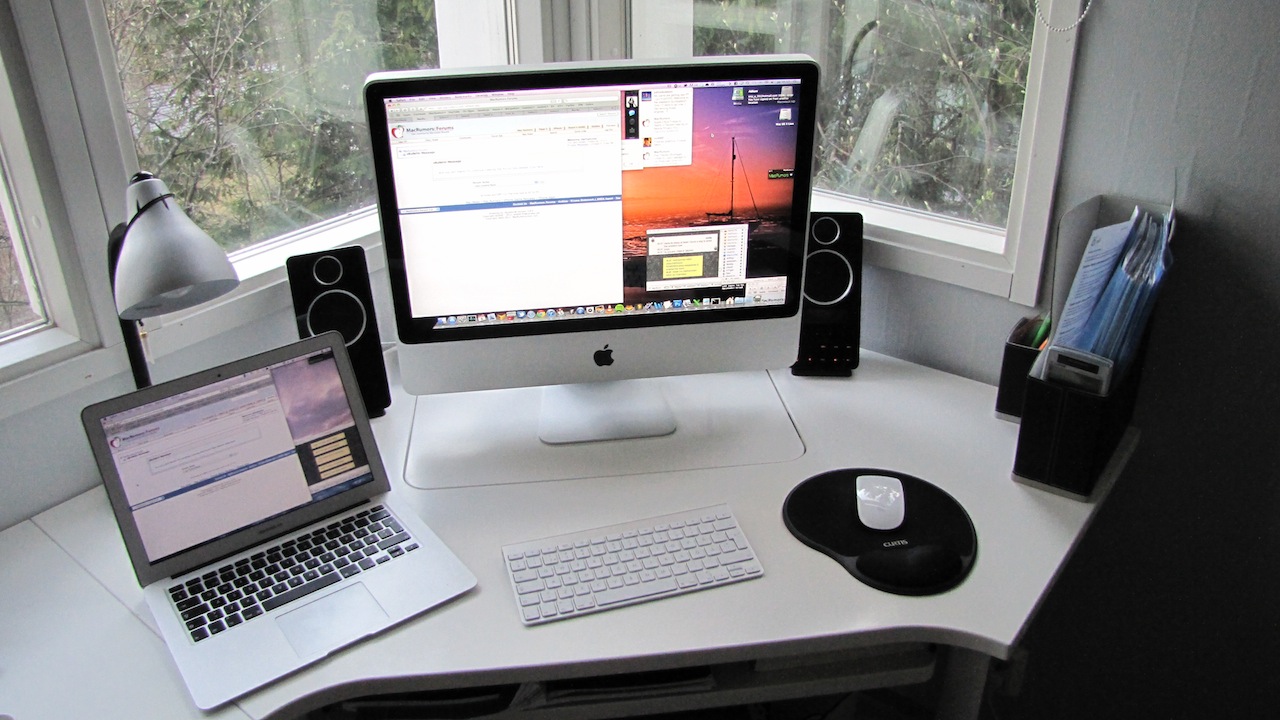
This is where my MBA usually resides
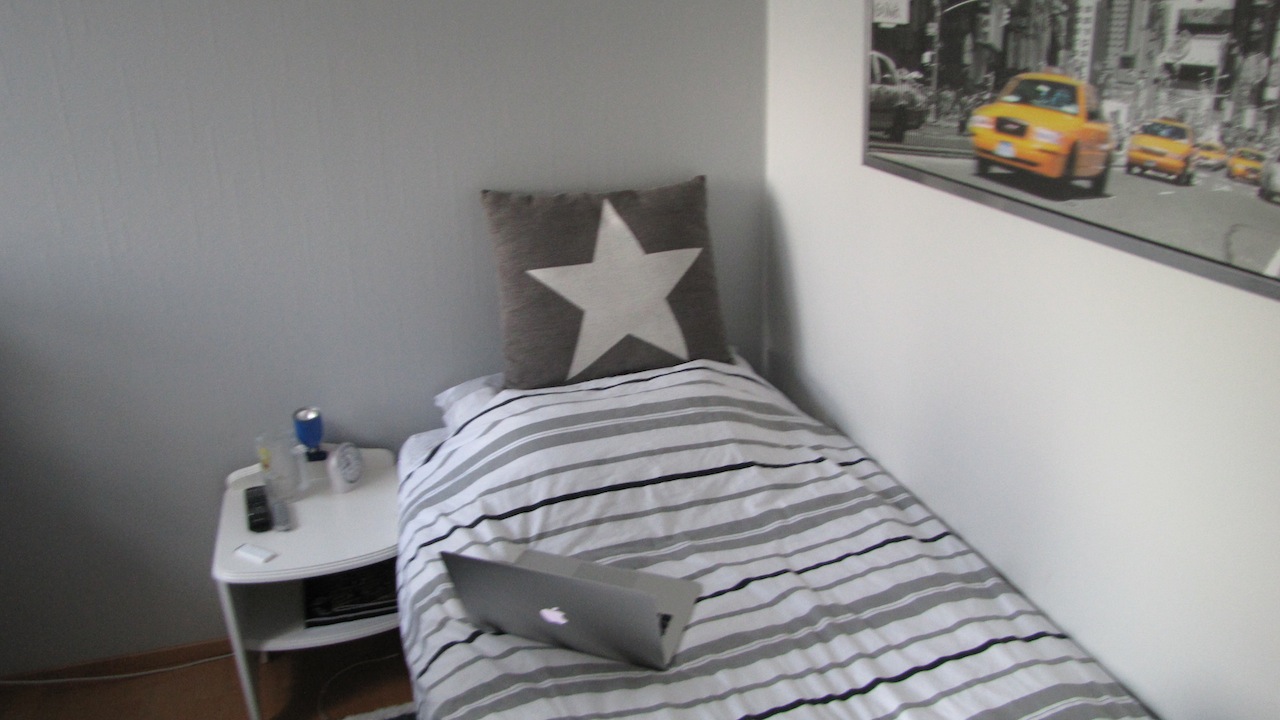
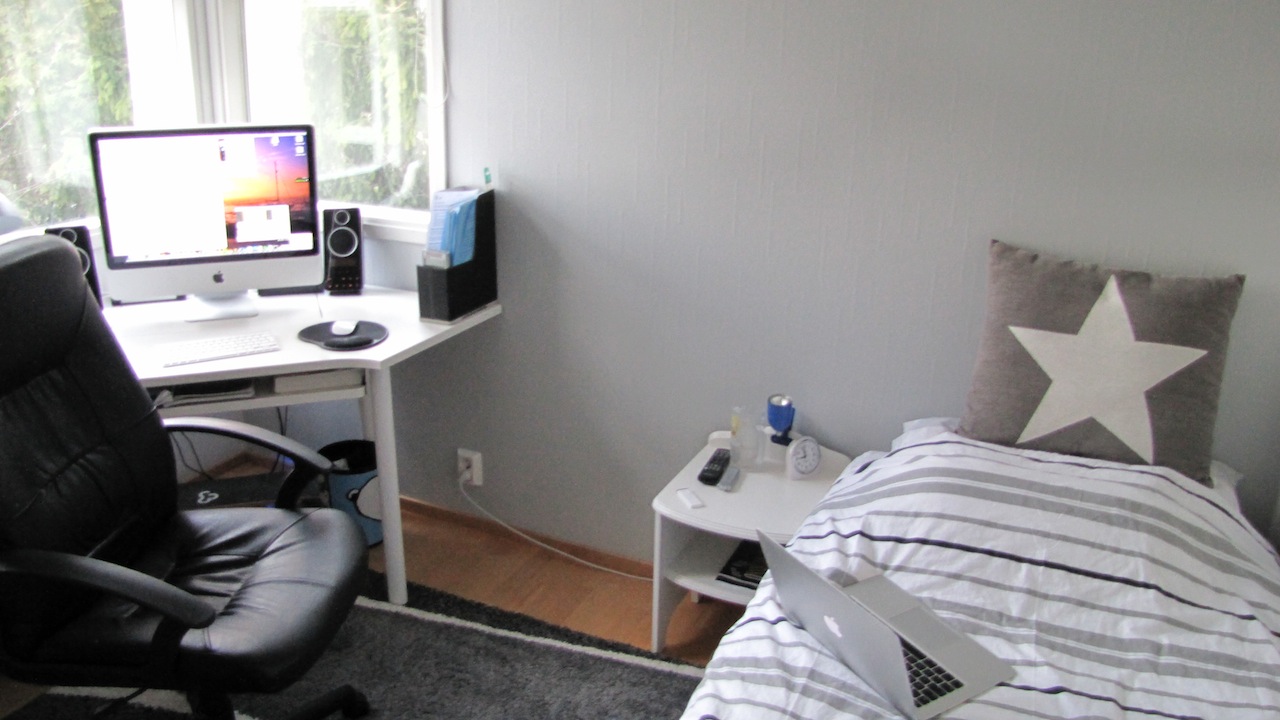
Overall photo of my geek corner
Really liking the clean desk setup there - what speakers are they??
----------
These little machines seem to be so popular amongst the forums!
I wish the refreshed i5's had been out when I bought my Mac in March cos I definitely would have picked it over the 13" MBP that I bought. The specs (core duo) machines were woeful in comparison but now I have serious envy of the new range -_-
I was offered £800 for my MBP and I was going to put the extra towards an Air but the buyer hasn't yet materialised with the cash so I'm still waiting!😡
I think next year I will probably buy a refreshed iMac and an iPad3 and see whether I still have hold of my Pro or he's finally bought it and I can share the love for the Air like you all do 😀😀
----------
Awesome 😀

jahala
macrumors regular
1. I have the original 11.6" MBA ultimate (Nvidia 320m, 1.6 GHz Core 2 Duo, 4 GB RAM, 128 GB storage)
2. It is my main computer and I use it for everything except for some CAD work I do on my work PC. At home, I have a 24" 1080p Samsung monitor that I connect to the MBA about the 30% of the time. I also have a 32" Toshiba TV I connect via HDMI about 30% of the time to enjoy movies or TV shows. I have a 3TB hard drive connected to my Apple Airport Extreme Base Station (current generation). I use the hard drive for wireless time machine and storage. The wireless connection is faster than using the USB ethernet adapter.
At work, I connect the MBA to two 19" 1280x1024 Dells for a triple monitor setup every day. All work files are on the company server, so storage is not an issue. I use the USB ethernet adapter at my desk at work because the wireless is slower there.
3. No air-specific case. I just slip the naked air into my Outdoor Products® Power Pack. You can get more info at http://www.outdoorproducts.com/Products/power-pack/4. I almost live out of this backpack.
Here is a picture of my home setup:

Here is one of my work setup:

2. It is my main computer and I use it for everything except for some CAD work I do on my work PC. At home, I have a 24" 1080p Samsung monitor that I connect to the MBA about the 30% of the time. I also have a 32" Toshiba TV I connect via HDMI about 30% of the time to enjoy movies or TV shows. I have a 3TB hard drive connected to my Apple Airport Extreme Base Station (current generation). I use the hard drive for wireless time machine and storage. The wireless connection is faster than using the USB ethernet adapter.
At work, I connect the MBA to two 19" 1280x1024 Dells for a triple monitor setup every day. All work files are on the company server, so storage is not an issue. I use the USB ethernet adapter at my desk at work because the wireless is slower there.
3. No air-specific case. I just slip the naked air into my Outdoor Products® Power Pack. You can get more info at http://www.outdoorproducts.com/Products/power-pack/4. I almost live out of this backpack.
Here is a picture of my home setup:
Here is one of my work setup:
tranceformav2
macrumors newbie

Hellhammer
Moderator emeritus
Really liking the clean desk setup there - what speakers are they??
Logitech Z-10. The sound is actually pretty good, even though they are 2.0.

Zudeo
macrumors member
Never dropped it but I'm quite proud of myself. Today I allowed another human being to pick up my new toy and I displayed no trace of any outward emotional response (or nervousness) at all.
I always do. First I think if they have the funds to actually replace my MBA, then -- it's as if I have a built in Terminator-style scanner -- find out if they're actually capable of treating it with the respect it deserves. After all that, they're allowed to touch it.
Of course after all that I still display traces of nervousness.
I <3 my
 .
.1. 13" base model
2. Yes it is my main computer i use it with an external monitor, mouse and keyboard
3. I use a sleeve which is not made for the macbook air. This sleeve then goes into my messenger style bag. Basically the sleeve works as a scratch cover.
2. Yes it is my main computer i use it with an external monitor, mouse and keyboard
3. I use a sleeve which is not made for the macbook air. This sleeve then goes into my messenger style bag. Basically the sleeve works as a scratch cover.
Attachments

tranceformav2
macrumors newbie
1. 13" base model
2. Yes it is my main computer i use it with an external monitor, mouse and keyboard
3. I use a sleeve which is not made for the macbook air. This sleeve then goes into my messenger style bag. Basically the sleeve works as a scratch cover.
Quick question - How do you get the active clock/date on your desktop?😛
Quick question - How do you get the active clock/date on your desktop?😛
Its from an app called Geektool. its available on the mac app store for free.
a quick guide to get you started:
http://mac.appstorm.net/how-to/utilities-how-to/make-your-desktop-come-alive-with-geektool/
Its from an app called Geektool. its available on the mac app store for free.
a quick guide to get you started:
http://mac.appstorm.net/how-to/utilities-how-to/make-your-desktop-come-alive-with-geektool/
Thanks for the link.
Geektool has since been renamed to Nerdtool. Their have been no updates since August 2010. The author has been questioning its usefulness compared to bare commands, given how resource-heavy it is in its current state, periodically spawning new processes to capture their output. He contemplated making a lighter version, akin to Conky which definitely sounds like the way to go, but, unfortunately, neither the blog nor the git repository have been updated in 1.5 years.

DJBBOX
macrumors regular
13.3" perfect! mid 2011 main squeeze!
Speck clear SeeThru shell
Seagate FreeAgent GoFlex Desktop 2TB (200GB for time machine and 1.8TB for 3D movies and other media.
PS3 Media Server with 320GB slim to stream movies to a E3D420VX VIZIO 42" 3D TV.(living room setup)
WD My Passport Elite 640GB(blue) for documents, apps, and such.
AudioEngine A5 speakers
I'm planing to get a iMac this year and an external monitor 3D capable. I'm thinking about the 24" SONY 3D display. I'm been spoiled by my Vizio TV now i want everything 3D. getting a 3D camera too but after the holidays, it all depends on how much money i got left. maybe a Fuji Film W3 Real 3D.
ALSO part of my setup but not really related, is my XBOX slim 320GB with a Dynex 32" TV.
Speck clear SeeThru shell
Seagate FreeAgent GoFlex Desktop 2TB (200GB for time machine and 1.8TB for 3D movies and other media.
PS3 Media Server with 320GB slim to stream movies to a E3D420VX VIZIO 42" 3D TV.(living room setup)
WD My Passport Elite 640GB(blue) for documents, apps, and such.
AudioEngine A5 speakers
I'm planing to get a iMac this year and an external monitor 3D capable. I'm thinking about the 24" SONY 3D display. I'm been spoiled by my Vizio TV now i want everything 3D. getting a 3D camera too but after the holidays, it all depends on how much money i got left. maybe a Fuji Film W3 Real 3D.
ALSO part of my setup but not really related, is my XBOX slim 320GB with a Dynex 32" TV.

The Samurai
macrumors 68020


wrinkster22
macrumors 68030
Had some trouble attaching images sorry-
(Note: Not all the stuff is hooked up as I just disconnected some things before this picture was taken)
My Setup
Ignore the mess, doing a lot of work..
Unfortunatley my black iPod touch 4th generation 32gb got stolen.
Recent additions: My Passport 500gb (with apple sticker 😀 )
and apple superdrive
I also have a Logitech M305 as my external and an apple USB to ethernet adapter when necessary.
Enjoy and have a nice Christmas.
1. Which MacBook Air do you have?
2011 13" Ultimate
2. Is the Air your main computer? Do you use it along with an external monitor, another computer(s), iPad or ?
Main / only computer, no external monitor.
3. Use a sleeve, skin, speck case? What kind of bag or backpack have you found suitable for the Air's?
Incase sleeve
(Note: Not all the stuff is hooked up as I just disconnected some things before this picture was taken)
My Setup
Ignore the mess, doing a lot of work..
Unfortunatley my black iPod touch 4th generation 32gb got stolen.
Recent additions: My Passport 500gb (with apple sticker 😀 )
and apple superdrive
I also have a Logitech M305 as my external and an apple USB to ethernet adapter when necessary.
Enjoy and have a nice Christmas.
1. Which MacBook Air do you have?
2011 13" Ultimate
2. Is the Air your main computer? Do you use it along with an external monitor, another computer(s), iPad or ?
Main / only computer, no external monitor.
3. Use a sleeve, skin, speck case? What kind of bag or backpack have you found suitable for the Air's?
Incase sleeve
Last edited: