Become a MacRumors Supporter for $50/year with no ads, ability to filter front page stories, and private forums.

Scott Baret

macrumors regular
Original poster
I am considering replacing my current MacBook Pro, now six years old, with a MacBook Neo. My Pro is the final Intel model and I only bought the Pro because there was nothing else in stock at the time (this was at the height of everyone buying laptops).

My rationale for replacement:
- Battery in the Pro is getting to be a problem (only 90 minutes on Teams calls)
- Touch Bar is flickering
- General age-related concerns (Intel chip)
- I want a blue laptop (so sick of basic silver)
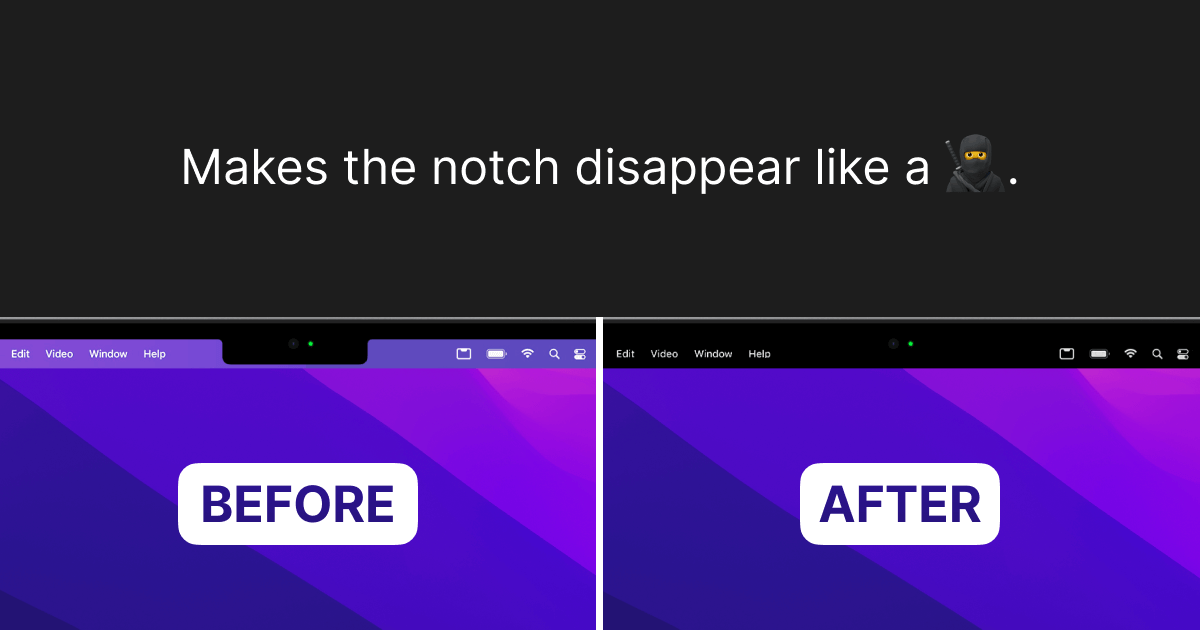
- Only model without a notch

Yet I also have concerns...
- My Pro has 16GB RAM and the Neo wouldn't have as much
- Would I need a new version of Office? (I use Office 2019 and am fine with it; I only buy standalone Office, never subscription)
- Would I feel like I made a major downgrade?

It seems to have what I would need, including a display that supports night shift (which I leave on consistently).

My needs are simple. I use Office (Word, Excel, PowerPoint), Teams, email, sometimes FaceTime, Safari for web browsing. I'm not making movies, rendering CAD drawings, programming, or playing games beyond solitaire. I do have Photoshop Elements (older version) but don't use it much anymore and have FileMaker Pro (also an older version, 18) that I don't use as much as I thought I would. Basically, I do on this computer what I would have done on an iBook G3 a quarter century ago, just newer hardware and an OS I don't like as much (still mourning OS 9).

One thing I know I'd have to upgrade is Parallels, as I do prefer Excel 2000 for some graphing functions. Parallels keeps nagging me about the upgrade so I guess I'll make it at some point (it's honestly why I haven't upgraded my Pro's OS).

Would a Neo be OK for my needs? I don't plan on buying one until the week that separates the school year and the summer so I could migrate if need be; if the computers are on backorder, this also gives me time to order one and wait for it to come in. I did stop in an Apple Store today to look at one today and found the build quality satisfactory and the screen adequate for my needs (as long as it has night shift, it's fine by me).

I think my biggest concern is going from 16MB RAM to a lower amount and not knowing if I will need to buy the new version of Office or if I can just migrate my Office 19 over. I have an external hard drive and will probably just just migrate everything myself if I trade the Pro in.

Having a new battery would be nice. I know I can replace the one in my Pro, but I'd have to deliberately pick a time I wouldn't need a modern computer for a few days.
 
Office 2019 should work on Tahoe, but it will stop working with MacOS 28. MacOS 27 will be the last year that Rosetta apps are supported. Given how old Office 2019 is, it will truly reach its end of life with MacOS 28. MSFT stopped providing updates for Office 2019 years ago.

Typically, I would say 8GB of RAM would be fine, but then you mentioned Parallels. I could not imagine running a VM with only 8GB. I ran a Windows 11 VM on 16GB of RAM and it was not happy. It worked, but it was not happy.

If you plan on keeping the machine for as long, if not longer, than your Intel Pro, I would likely opt in for a MacBook Air.
 
I am sick of basic silver too. 16gb of is not much either. But the new unified rams work much better. That said the intel will last one or 2 more years. So keep it. The NEO 2 will supposedly have an A19-PRO chip in it which will support 12gb of ram. That is only 4gb behind the 16gb so not bad. Should be 2027 hopefully. Or at least wait until WWDC and see if they announce it.

BTW any know when is WWDC?
 
No. My understanding is that OP will have to run Windows 11 ARM version, but Windows 11 ARM can run x86 Apps well. Some discussion here.
@Scott Baret just to emphasise...you cannot run XP in a Silicon Mac VM. Only ARM OSes can run on Silicon and the only ARM windows OS is Windows 11. You will need to create a new VM and set it up from scratch. If Excel 2000 won't run in Windows 11 ARM using the x86 emulator you may have to find an alternative. A quick Google suggests Excel 2000 will do this but might be some installation issues.

Doesn't change the above, but FWIW I dumped Parallels for the free and lightweight UTM from the Apple store. I mostly use it for testing macOS's but I have a Windows 11 ARM VM in it. It is less polished than Parallels but may be adequate. Lots of stuff around comparing.
 
Last edited:
  • Like
Reactions: jchap
@Scott Baret just to emphasise...you cannot run XP in a Silicon Mac VM. Only ARM OSes can run on Silicon and the only ARM windows OS is Windows 11. You will need to create a new VM and set it up from scratch. If Excel 2000 won't run in Windows 11 ARM using the x86 emulator you may have to find an alternative. A quick Google suggests Excel 2000 will do this but might be some installation issues.

Doesn't change the above, but FWIW I dumped Parallels for the free and lightweight UTM from the Apple store. I mostly use it for testing macOS's but I have a Windows 11 ARM VM in it. It is less polished than Parallels but may be adequate. Lots of stuff around comparing.
Sorry what is UTM ? Apple device
 
Try it for 14 days.

RAM doesn't really play into the Neo's abilities from what I have experienced for my uses.

8GB is fine for all that I do and the price point is unbeatable.

My co-worker got the M5 Air because he needed the larger screen and does a lot of photo editing using RAW files.
 
@Scott Baret just to emphasise...you cannot run XP in a Silicon Mac VM. Only ARM OSes can run on Silicon and the only ARM windows OS is Windows 11. You will need to create a new VM and set it up from scratch. If Excel 2000 won't run in Windows 11 ARM using the x86 emulator you may have to find an alternative. A quick Google suggests Excel 2000 will do this but might be some installation issues.

Doesn't change the above, but FWIW I dumped Parallels for the free and lightweight UTM from the Apple store. I mostly use it for testing macOS's but I have a Windows 11 ARM VM in it. It is less polished than Parallels but may be adequate. Lots of stuff around comparing.
I should qualify this and say that it is possible to run XP in Silicon Mac using emulation, not virtualisation. From this thread, it can be done in UTM, as UTM can do emulation and virtualisation, but don't know about Parallels Parallels only does virtualisation. It will be very slow.
 
Last edited:
  • Like
Reactions: jchap
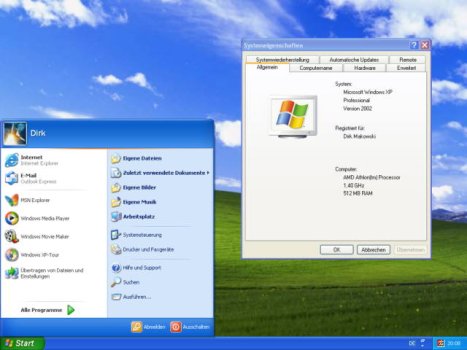
One detail with the Parallels: I run Windows XP on it. Does that make a difference?
Your current laptop is x86 based and Parallels Desktop lets you run Windows on it because that's also x86 based. When you move to the Neo, you're leaving x86 world and going to ARM world. So your current VMs won't work anymore. You'll have to install an ARM-based Windows version in a new VM - and hope to high heaven that it can run whatever x86 app you depend on that made you use Parallels in the first place.

But, as others have said, I have *huge* doubts that Parallels on ARM will work satisfactorily on a Neo - especially if you are going to run x86 Windows apps on a Windows ARM OS. If that's a "must have", I think going to a Neo is going to disappoint you.
 
  • Like
Reactions: mblm85
XP will run fine with 1 or 2 GB of RAM.
It works well with less, too.

Back to topic. I think the Neo will be a good choice.
 

Attachments

  • xp4.jpg
    xp4.jpg
    39.2 KB · Views: 84
It works well with less, too.

Back to topic. I think the Neo will be a good choice.
XP may run well with < 1-2GB of *real* memory. It won't run fine - or at all - on an ARM based processor with Parallels. When I first looked into running an x86-based OS (in my case Windows 10) on my M1-bsed MacBook Pro with 32GB memory and Parallels Desktop (using their experimental support for x86 OSs), it was so slow in booting, I gave up right away. So I think whether "Neo" will be a good choice depends on whether the OP really needs to run XP on it. If he does, I don't think the Neo will be a good choice.
 
I should qualify this and say that it is possible to run XP in Silicon Mac using emulation, not virtualisation. From this thread, it can be done in UTM, as UTM can do emulation and virtualisation, but don't know about Parallels Parallels only does virtualisation. It will be very slow.
From the link in this post it looks like Parallels have just started offering emulation, but warn it will be very slow.
 
I am considering replacing my current MacBook Pro, now six years old, with a MacBook Neo. My Pro is the final Intel model and I only bought the Pro because there was nothing else in stock at the time (this was at the height of everyone buying laptops).

My rationale for replacement:
- Battery in the Pro is getting to be a problem (only 90 minutes on Teams calls)
- Touch Bar is flickering
- General age-related concerns (Intel chip)
- I want a blue laptop (so sick of basic silver)
- Only model without a notch

Yet I also have concerns...
- My Pro has 16GB RAM and the Neo wouldn't have as much
- Would I need a new version of Office? (I use Office 2019 and am fine with it; I only buy standalone Office, never subscription)
- Would I feel like I made a major downgrade?

It seems to have what I would need, including a display that supports night shift (which I leave on consistently).

My needs are simple. I use Office (Word, Excel, PowerPoint), Teams, email, sometimes FaceTime, Safari for web browsing. I'm not making movies, rendering CAD drawings, programming, or playing games beyond solitaire. I do have Photoshop Elements (older version) but don't use it much anymore and have FileMaker Pro (also an older version, 18) that I don't use as much as I thought I would. Basically, I do on this computer what I would have done on an iBook G3 a quarter century ago, just newer hardware and an OS I don't like as much (still mourning OS 9).

One thing I know I'd have to upgrade is Parallels, as I do prefer Excel 2000 for some graphing functions. Parallels keeps nagging me about the upgrade so I guess I'll make it at some point (it's honestly why I haven't upgraded my Pro's OS).

Would a Neo be OK for my needs? I don't plan on buying one until the week that separates the school year and the summer so I could migrate if need be; if the computers are on backorder, this also gives me time to order one and wait for it to come in. I did stop in an Apple Store today to look at one today and found the build quality satisfactory and the screen adequate for my needs (as long as it has night shift, it's fine by me).

I think my biggest concern is going from 16MB RAM to a lower amount and not knowing if I will need to buy the new version of Office or if I can just migrate my Office 19 over. I have an external hard drive and will probably just just migrate everything myself if I trade the Pro in.

Having a new battery would be nice. I know I can replace the one in my Pro, but I'd have to deliberately pick a time I wouldn't need a modern computer for a few days.
I'm happy with Intel. I'd rather be able to fix my own. Sounds like you haven't found any great Mac repair near you. You don't need Apple Authorized and you sure don't need any expensive Geniuses!

I'm running 2015. Bought an extra dead one for parts. If you really want an OS upgrade, you can install OpenCore Legacy. Only works on Intel Macs.

Yeah I miss OS 9, too, and the early OS X, maybe up to High Sierra. Like you, I don't use all those extras.

You're just itchy for a new Mac. Curb your enthusiasm--they don't need your money! Get a blue plastic case if you're tired of silver. Plenty on Amazon, and some really cool ones!

Don't buy new!
 
  • Like
Reactions: uacd
Register on MacRumors! This sidebar will go away, and you'll see fewer ads.