Got a tip for us?
Let us know
Become a MacRumors Supporter for $50/year with no ads, ability to filter front page stories, and private forums.
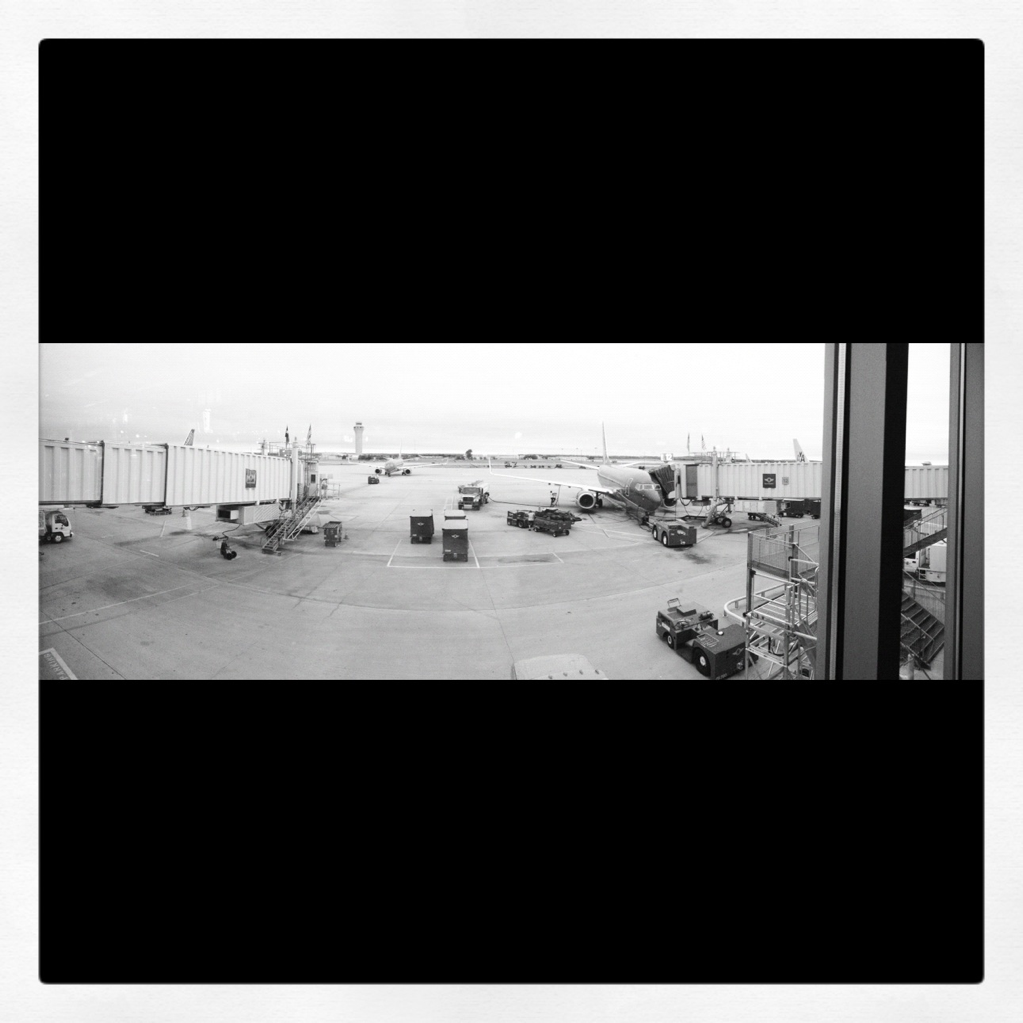
iPhone Panorama taken on iPhone 4S
- Thread starter nonamelive
- Start date
- Sort by reaction score
You are using an out of date browser. It may not display this or other websites correctly.
You should upgrade or use an alternative browser.
You should upgrade or use an alternative browser.

klehman1125
macrumors newbie

andybno1
Suspended
i know this 🙄 hence why I have said in a couple of posts that it's iOS 5 and doesn't work in iOS 6It's not for iOS 6! It's to unlock panorama mode in iOS 5.
applebro24
macrumors regular

humar
macrumors 6502
No jail-break required.
http://m.cnet.com/news/how-to-enable-ios-5s-hidden-panorama-camera/57321701?ds=1
Paul
ya i know this ...
but thats just the point... com.apple.Mobileslideshow.plist isn't in there when i try it.
What happens/does it work once the phone is in landscape?
It could give fun result if was possible, for example, being at the bottom of a tower, to start directing at one end of the street bording it, then turn up to the top of the tower, then down to the other end of the street 😱
Possible to make a rotation around an horizontal axis, or are allowed only horizontal panoramas with rotation around the z-axis?
It could give fun result if was possible, for example, being at the bottom of a tower, to start directing at one end of the street bording it, then turn up to the top of the tower, then down to the other end of the street 😱
Possible to make a rotation around an horizontal axis, or are allowed only horizontal panoramas with rotation around the z-axis?

mrgraff
macrumors 65816
What happens/does it work once the phone is in landscape?
It could give fun result if was possible, for example, being at the bottom of a tower, to start directing at one end of the street bording it, then turn up to the top of the tower, then down to the other end of the street 😱
Possible to make a rotation around an horizontal axis, or are allowed only horizontal panoramas with rotation around the z-axis?
Good questions! So I gave it a try.
Holding the phone in landscape doesn't cause the slider to move, so the resulting image is a tall picture that went from eye-level up to the ceiling and then down a little bit behind me. I found it tricky to keep an eye on the guide arrow without hurting my neck while I was doing it though.
http://www.ceceliaproductions.com/pix/panos/pano-landscp.jpg
Rotating around the horizontal with the phone in landscape created a really weird shot of part of the room with my legs, combined with a slightly higher angle that included the ceiling and wall behind me and the top of my head. Almost as if a chunk was bitten out of a 360º fisheye. It was also hard to hold on to the phone while rotating it I needed both hands for stability and to keep it slow, but jostled the phone a bit when i moved-my fingers out of the way of the camera - a mechanical rotation might create something smoother.
http://www.ceceliaproductions.com/pix/panos/pano-horiz.jpg
Last but not least, I also managed a panoramic self-portrait by rotating the phone horizontally in portrait mode. Which was also much easier to manipulate.
http://www.ceceliaproductions.com/pix/panos/pano-horiz2.jpg

faroZ06
macrumors 68040
Here is another shot taken with an iPhone 4S (Panorama)
[url=http://farm9.staticflickr.com/8316/7981620570_a1f3bc5a57.jpg]Image[/url]
Melbourne, Australia - iOS 6 - Panorama by Oliver Gigacz, on Flickr
The third to the right panel has messed up lighting, but I'm guessing that's the Sun's fault. The software should correct for it more.
----------
Image
Photobucket pulled it down to 100kb though.
----------
Will try this next time I'm at Anfield 😀
Dude, use Dropbox 🙂

AdeFowler
macrumors 68020
----------
Will try this next time I'm at Anfield 😀
Now you're talking. You may need to stand in the centre circle for best results! 😀
hehe, thxI gave it a try.
this function is a really great addition to the set of base features of iOS 🙂
farawaybrothers
macrumors member
These Panoramas are gonna make great Facebook timeline covers, and also (recently) twitter headers.
ThisIsNotMe
Suspended
Would someone be willing to take the time to post a pano and then the same pano with the stitch lines marked out?

Birkan
macrumors regular
From my highschool which is at the heart of Bosphorus, Turkey 😎
Preview

Full Link
http://dl.dropbox.com/u/20583626/Bosphorus.jpg
Preview
Full Link
http://dl.dropbox.com/u/20583626/Bosphorus.jpg
You can see that the iOS Panorama has some problems with different exposures (on the right side of your picture) but it isn't at all as bad as with other apps. With those the right side of your pic would just have been white.

At first i thougt Panorama was a neat idea, but how wrong i was
Not really... As they say, "theres an app for that"
Check out the App Store, if you din't know you can do the same thing.
Without know, or even using these apps, i would guess, these would all be the same "stichting" capability that the iPhone 5 offers..... (and that includes Samsung too). Although, its nice to have it bult-in to the phone.
Not really... As they say, "theres an app for that"
Check out the App Store, if you din't know you can do the same thing.
Without know, or even using these apps, i would guess, these would all be the same "stichting" capability that the iPhone 5 offers..... (and that includes Samsung too). Although, its nice to have it bult-in to the phone.
Last edited:
applebro24
macrumors regular
Quick tip (haven't seen mentioned yet): Tap the arrow to have the panoramic shot start from the right, instead of the left, as shown.
If you knew that, well then enjoy this pano from the outskirts of Vegas
https://www.dropbox.com/s/bbaxuahc5cfwkhm/IMG_1964%5B1%5D.JPG
(Edit: Fixed link, not sure how to link to full size image on Dropbox...)
If you knew that, well then enjoy this pano from the outskirts of Vegas
https://www.dropbox.com/s/bbaxuahc5cfwkhm/IMG_1964%5B1%5D.JPG
(Edit: Fixed link, not sure how to link to full size image on Dropbox...)
Attachments
![IMG_1968[1].PNG](/data/attachments/304/304251-dbf6226a73eff27c21b0ed6dbf1e38c5.jpg?hash=2_YianPv8n)
Last edited:
Quick tip (haven't seen mentioned yet): Tap the arrow to have the panoramic shot start from the right, instead of the left, as shown.
If you knew that, well then enjoy this pano from the outskirts of Vegas
https://dl-web.dropbox.com/get/IMG_1964%5B1%5D.JPG?w=20261812
Your link is broken.