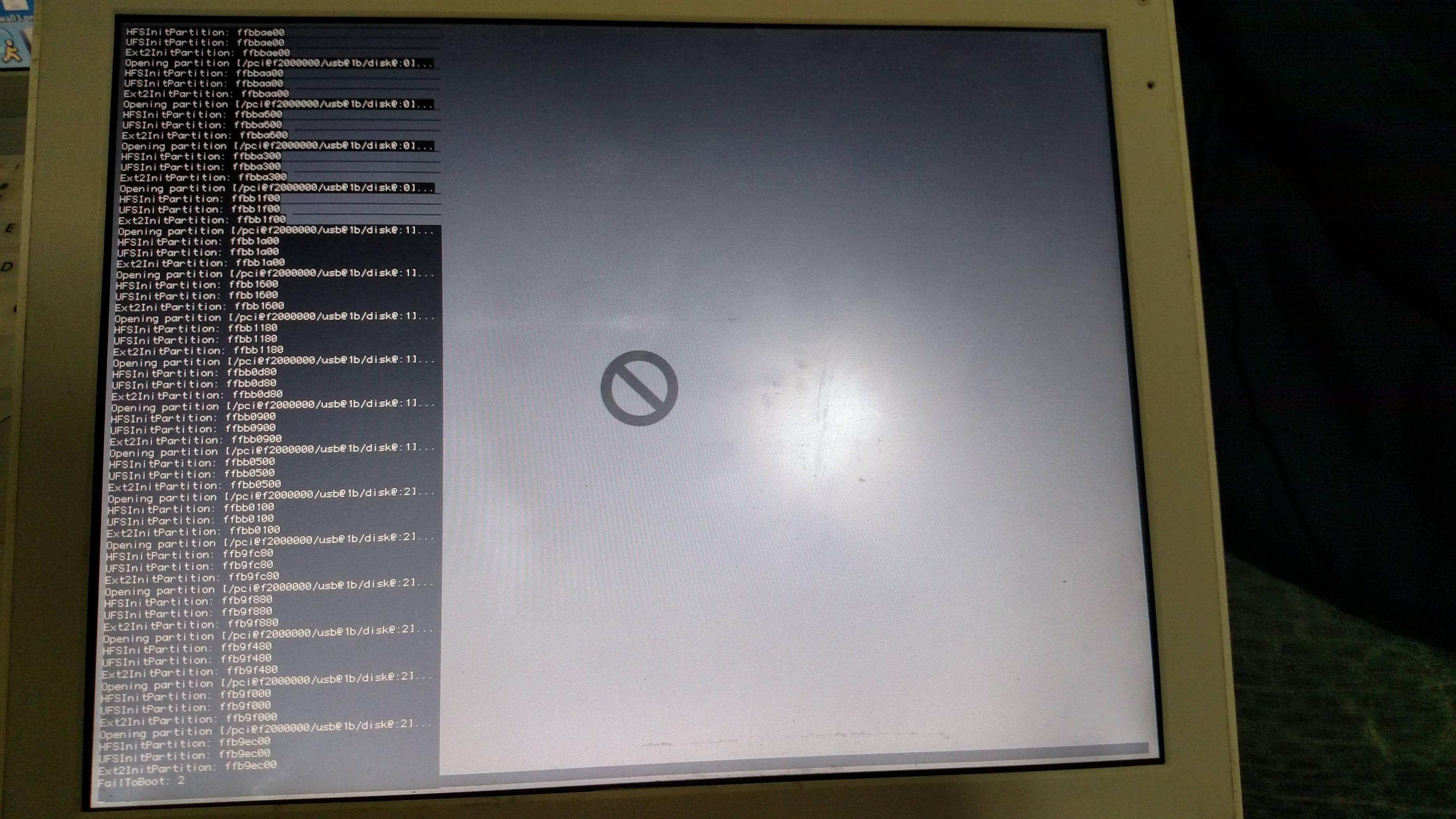
Starting a new thread because I didn't want to double post on an old thread. So here's what I'm trying to do: Install OS X 10.4 or 10.5 on an SSD in my iBook G4, with a broken DVD drive. What I have: A PC with TransMac, Images for 10.5 and 10.4.3, a FireWire 400 cable, an iBook G3/500 with 10.2.8 and 9.2.2, a DVD with 10.4.3 on it, a USB made with a Mac with the 10.5 image on it, is bootable, the old hard drive from the iBook with Tiger still on it. What I can't do: 1. Copy the Leopard image to a section of the G3s drive, 10.2's disk utility wont copy disks or images, nor will Disk Copy 2. Target the DVD of the G3, spits DVD out 90% of time, 3. Boot to USB on G4, both 10.4 and 10.5 give a prohibitory sign. What I can do: 1. Sacrifice OS 9, not much is used on its partition, and if there is a way to get around #1 of what I cant do that doesnt involve upgrading (because I cant get it to use my Tiger DVD), let me know. SuperDuper wont copy system files, so no go there. 2. Make a Linux stick, if that will help anything 3. Parition the SSD with APM, already been done. One more question: Can I just use root and Finder to copy everything from my Leopard stick to an 8GB partition on the G4's SSD? I swear no matter what I try with this thing, something always throws a wrench in my plans...

Errr ... not sure how helpful this will be, but way back when I had a world of problems trying to install Tiger on a 1.67GHz PowerBook G4 ... basically I mounted the Tiger installation to an external USB drive and had to do a number of things to boot from that, it was a real pain as the PPCs don't offer USB boot like the Intel ones.
My written instructions that I noted down at work are below, but I'm not sure how helpful this is; you may need to have a heavy slice of intuition and luck. I kinda wish I took screenshots
🙁
I'd recommend doing the below on an Intel Mac (SL or higher) if you have one. I'm also going on the assumption that you have a Tiger install that isn't on a DVD -- if not, let me know and I'll source one for you.
1) Format pendrive/external HDD to be PowerPC Compatible in Disk Utility
2) Mount the Tiger OS installation to the pendrive (using the restore function)
3) On the PPC Mac, plug in the pendrive, then hold down Cmd+Alt+F+O on startup to get into the open firmware.
4) Type devalias, and look for anything that says ud. This would be the external drive you're trying to boot from.
5) Type devalias ud /exactly_what_its_called (make ud equal to whats in the devalias). It usually looks like pciblahblahblah.
6) Verify the disk (dir :ud3,\). If that doesnt work, try ud2 or ud1. Thisll make sure that all the files are as they should be.
7) Find the CoreServices folder (dir ud:<number>,\System\Library\CoreServices)
8) Then boot from it (boot ud:<number>,\System\Library\CoreServices\BootX)
Just to add to the above, that was on an install for Tiger (OS X 10.4), so I'm not sure if Leopard has the \System\Library\CoreServices file for the install.
Please can you take photographs of any problems you run into, quote my reply, and I'll try to see if the cogs in hazy memory will clock back into life so I can be a little more helpful
🙂
Speak with you soon!