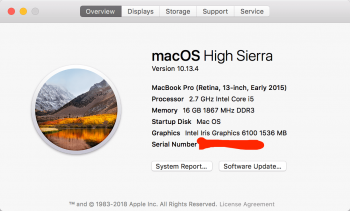
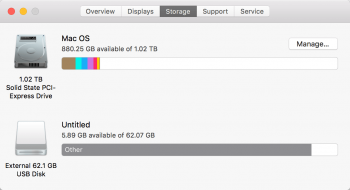
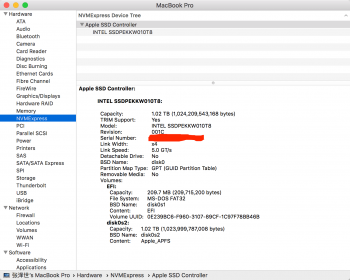
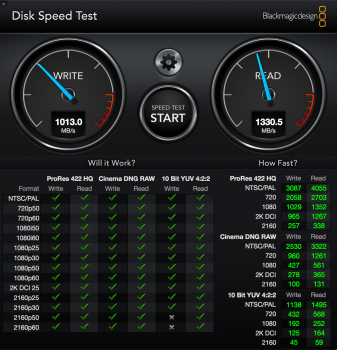
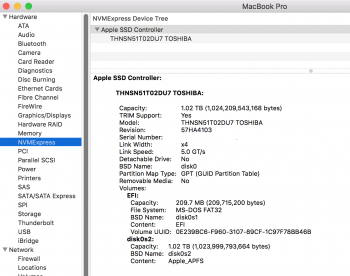
In the mac Pro section of the forums dosdude has built a rom flashing/dumping utility which gets us one step closer to being able to fix the hibernation issues on 2013/14 macbook pro's! Well done dosdude! 🙂
Yes, work of dosdue is excellent ! I couldn't imagine that any day would come a so easy way to dump/flash the BootRom, thanks to his work !
Following gilles_polysoft's footsteps, I have dumped my macbook pros rom, added the 2015 macbooks NVMe DXE to the rom, but am having a hard time with macIASL doing the final part of putting the driver into the DSDT. How exactly is it done? Is it safe for me to put my NVME, 8 at line 272, as that would match up with gilles_polysofts trick of putting it above the line "Offset (0x12C),"
In fact, from recents tests I assume you can now
ignore the DSDT part of the patch and
only update the NVMe DXE driver.
Three days ago I just installed a 2TB 960 Pro for a customer in his late 2013 15" rMBP, and I only made the single update of the NVMe driver, without the DSDT part.
And hibernation works perfectly...
So, just try to update the NVMe driver, it will be suffisent and, to me, it enough for having hibernation perfectly working.
Sorry for the confusion with this unnecessary patching of the DSDT table.
The general consensus is to
- turn off transition from deep sleep to hibernation (standby 0)
- prevent the system from writing memory to the SSD in the first place (hibernationmode 0), and
- turn off auto-poweroff (autopoweroff 0)
Sorry but it is not what gets out of the tests.
The only change to be made with 2013-2014 rMBP and MBA is to set standby mode to 0. Nothing else is necessary.
And with the BootRom mod (= replacing the NVMe DXE driver with the more complete one of the 2015 macs), no more modification is necessary anymore. With the BootRom patch, Standby mode can be set to 1 and hibernation works perfectly (last week I put a full week to sleep a late 2013 rMBP with a NVMe drive and woke it up regularly, and got 94% of battery after 1 week of hibernation).
[doublepost=1527707990][/doublepost]
I don't know how this worked, but I tried boot camping windows 7 on the macbook, but it didn't work (couldn't boot windows 7 - should have known as the drive shows up as external at boot time).
Windows 7 does
not natively knows how to boot from NVMe drives... It is an OS from 2009 after all !
You have to manually add NVMe driver to windows 7 but it doesn't always work...
As for the 10s delay it completely disappear once you have updated the BootRom with the full NVMe driver...