Never mind thenFor why? I am 100% sure I am not the only Ian Barrett in the world. Should I delete my photo too?

Got a tip for us?
Let us know
Become a MacRumors Supporter for $50/year with no ads, ability to filter front page stories, and private forums.
iOS 27 Beta 3 ― Bug Fixes, Changes, and Improvements
- Thread starter Banglazed
- WikiPost WikiPost
- Start date
- Sort by reaction score
You are using an out of date browser. It may not display this or other websites correctly.
You should upgrade or use an alternative browser.
You should upgrade or use an alternative browser.
- Status
- The first post of this thread is a WikiPost and can be edited by anyone with the appropiate permissions. Your edits will be public.

COBRASVT
macrumors 6502a
Dang! Yeah, I have a good 40 in Home as well. I'd be pissed if they disappeared. I'm assuming you hard booted already? Reboot the Homepod as well if that's your gateway. Or Apple TV, etc.I had at least 40 automatons inside Home App and all are gone, Home app now shows 0 automations and Shortcut (as shown above) only has 3 Automations and they are not any of the missing automations.


digitalfx
macrumors 6502a
yea tried everything....seems like there are multiple people with same issue, but its not widespread. I can rebuild them, its just going to take a long time. some were pretty complexDang! Yeah, I have a good 40 in Home as well. I'd be pissed if they disappeared. I'm assuming you hard booted already? Reboot the Homepod as well if that's your gateway. Or Apple TV, etc.
Last edited:

Reeneman
macrumors 68020
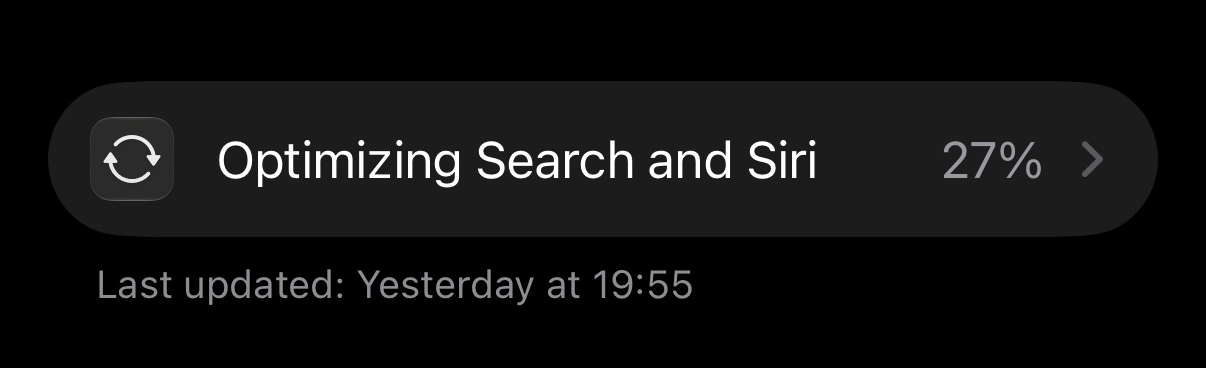
Around 24 hrs after updating I got my indexing percentage:

Travis299
macrumors 6502
15PM, much better IMHO.How's the battery life on the 15 Pro?


The same here.If I create a spatial scene in photos how can I save it ? There is only an X button ?

pw5a29
macrumors 6502
my progress is stuck at 88% for nearly 24 hours now lol

ProbablyDylan
macrumors 68040
Thanks but that only shows my home automations. All my personal ones are gone from there and clicking the plus icon at the bottom brings up the create a new shortcut panel instead of a new automation?


StumpyBloke
macrumors 603
Does anyone else have this Managed Device under Location services?
I don’t have any profiles installed not was this ever a managed device.
Yes same

TheCart
macrumors 6502
I suspect it might have something to do with Screen Time because it's been turning itself on very randomly since beta 1, no other explanation.Yes same

Parowdy
Suspended
So you agree that stutters aren’t anomalies? I could on the spot screen record my system and encounter stutters left and right.I’ve always had a wallpaper but noticed the stutters you mentioned on some versions of iOS 26 which I did mention multiple times before. Not noticing those now. And I’m not saying iOS 27 is completely stutter free either.

adrianlondon
macrumors 604
Shortcuts and automations have fundamentally changed, and have been this new way since the first beta.Thanks but that only shows my home automations. All my personal ones are gone from there and clicking the plus icon at the bottom brings up the create a new shortcut panel instead of a new automation?
Add an automation action to your new shortcut and it turns it into an automation.
They are rare on iOS 27. I did install b1 from scratch so my experience has been much better at 99% stutter-free. It’s only b3 so that gives me hope.So you agree that stutters aren’t anomalies? I could on the spot screen record my system and encounter stutters left and right.
Parowdy
Suspended
That I agree with. iOS 27 stutters much less than even iOS 18 did, at least on my 15 Pro.They are rare on iOS 27. I did install b1 from scratch so my experience has been much better at 99% stutter-free. It’s only b3 so that gives me hope.
Let’s hope they don’t fumble it again.

thedru13
macrumors 6502
Anyone else having an issue with charging? I keep getting the message Charging on Hold ... Charging will resume when iPhone returns to normal temperature. IP 17pro max and doesn't feel warm
christian.terra
macrumors 65816
search in the photos app on my ipad does not work at all, it just produces blank results. it just says "photos is analyzing your library..." Search on my iphone is perfect and a million times better than it ever was in ios 26.
COBRASVT
macrumors 6502a
Click the New Shortcut, Edit and then select the Automation tab right under Search to create a new one.Thanks but that only shows my home automations. All my personal ones are gone from there and clicking the plus icon at the bottom brings up the create a new shortcut panel instead of a new automation?
Really sucks all your personal ones are gone though!

pirarre
macrumors 6502
Just wondering if anyone is having issues with RCS activating? Im on ATT and since beta 2/3, I discovered that RCS is broken and will not activate.
I reached out to ATT and they said RCS is working fine on my line. They also ran through some troubleshooting just to check, and RCS still wont turn on.
I found some other forums that mentioned other users reporting RCS broken on the beta that would not re-activate if you turned it off.
So just wondering if anyone is experiencing this.
I reached out to ATT and they said RCS is working fine on my line. They also ran through some troubleshooting just to check, and RCS still wont turn on.
I found some other forums that mentioned other users reporting RCS broken on the beta that would not re-activate if you turned it off.
So just wondering if anyone is experiencing this.

one more
macrumors 603
Anyone else having an issue with charging? I keep getting the message Charging on Hold ... Charging will resume when iPhone returns to normal temperature. IP 17pro max and doesn't feel warm
Nope, charging my iPhone 17 with Apple’s 20 W charger and no complaints. Force-restart your iPhone and perhaps try a different charger?
CharlieBrown-DE
macrumors regular
i have to hit the dictation button several times and I can't turn OFF automatic punctuation.Anyone else feel like dictation got nerfed? I'm back to having to say my punctuation
thedru13
macrumors 6502
Nope, charging my iPhone 17 with Apple’s 20 W charger and no complaints. Force-restart your iPhone and perhaps try a different charger?
Will give it another week to see if it stops. Appreciate it I’m