Nobody?Are you guys noticing a slight delay between when you see the app icon badge notification for a new text message, and then when the text message banner actually shows up? iPhone 17 Pro

Got a tip for us?
Let us know
Become a MacRumors Supporter for $50/year with no ads, ability to filter front page stories, and private forums.
iOS 27 Beta 3 ― Bug Fixes, Changes, and Improvements
- Thread starter Banglazed
- WikiPost WikiPost
- Start date
- Sort by reaction score
You are using an out of date browser. It may not display this or other websites correctly.
You should upgrade or use an alternative browser.
You should upgrade or use an alternative browser.
- Status
- The first post of this thread is a WikiPost and can be edited by anyone with the appropiate permissions. Your edits will be public.

Simacca
macrumors 68000
Have noticed my charging stops at 80% because of overheating (most of the time), even though my phone feels barely warm. This is when charging through wired charging (or wireless). I’ve tried putting it in low power mode, but it’s still the same. I can only get it to charge to 100% overnight when left plugged in.
My battery has no charging limits set up.
16pro.
Anyone else having this problem? Thanks.
My battery has no charging limits set up.
16pro.
Anyone else having this problem? Thanks.


thedru13
macrumors 6502
I am having a similar issue on my IP 17PMHave noticed my charging stops at 80% because of overheating (most of the time), even though my phone feels barely warm. This is when charging through wired charging (or wireless). I’ve tried putting it in low power mode, but it’s still the same. I can only get it to charge to 100% overnight when left plugged in.
My battery has no charging limits set up.
16pro.
Anyone else having this problem? Thanks.

one more
macrumors 603
I loved keeping up with beta versions, until one day I woke up and thought: Why would I put buggy versions on my latest generation device? It doesn't make sense.
Out of curiosity? We are a curious bunch over here. Then there is a “Carpe Diem!” factor.
CharlieBrown-DE
macrumors regular
Just had a complete disconnect to all Bluetooth devices. APP2, Amazfit watch. In the Bluetooth settings, all device had disappeared (also the car and other headphones). Turning off and on the phone brought everything back. Just switching Bluetooth off/on didn't help.

COBRASVT
macrumors 6502a
Anyone who's gone from 26 to 27 knows it makes perfect sense. 26 is garbage!I loved keeping up with beta versions, until one day I woke up and thought: Why would I put buggy versions on my latest generation device? It doesn't make sense.
And for me, 27 is smooth as butter with all the new shiny bells and whistles. 🙂

bilibug
macrumors 6502
I loved keeping up with beta versions, until one day I woke up and thought: Why would I put buggy versions on my latest generation device? It doesn't make sense.
To finally get the AI features that were promised for our devices 2 years ago.

honglong1976
macrumors 68000
do you get notifications on the watch when you set an alarm on the phone?Amazfit GTR4 is working fine as normal.
one more
macrumors 603
To finally get the AI features that were promised for our devices 2 years ago.
Not in the EU, but hey, even without Siri AI I still prefer it over iOS 26.

jdavid_rp
macrumors 6502a
I got this small text on iMessages in a Google maps link. It says that I can pin the message to be shown in Google maps. I suppose it’s like the “shared with you” feature for safari but it didn’t show up in google maps. So I suppose it’s a new thing. Also the button is in English (not phone language) so translation strings were not added yet
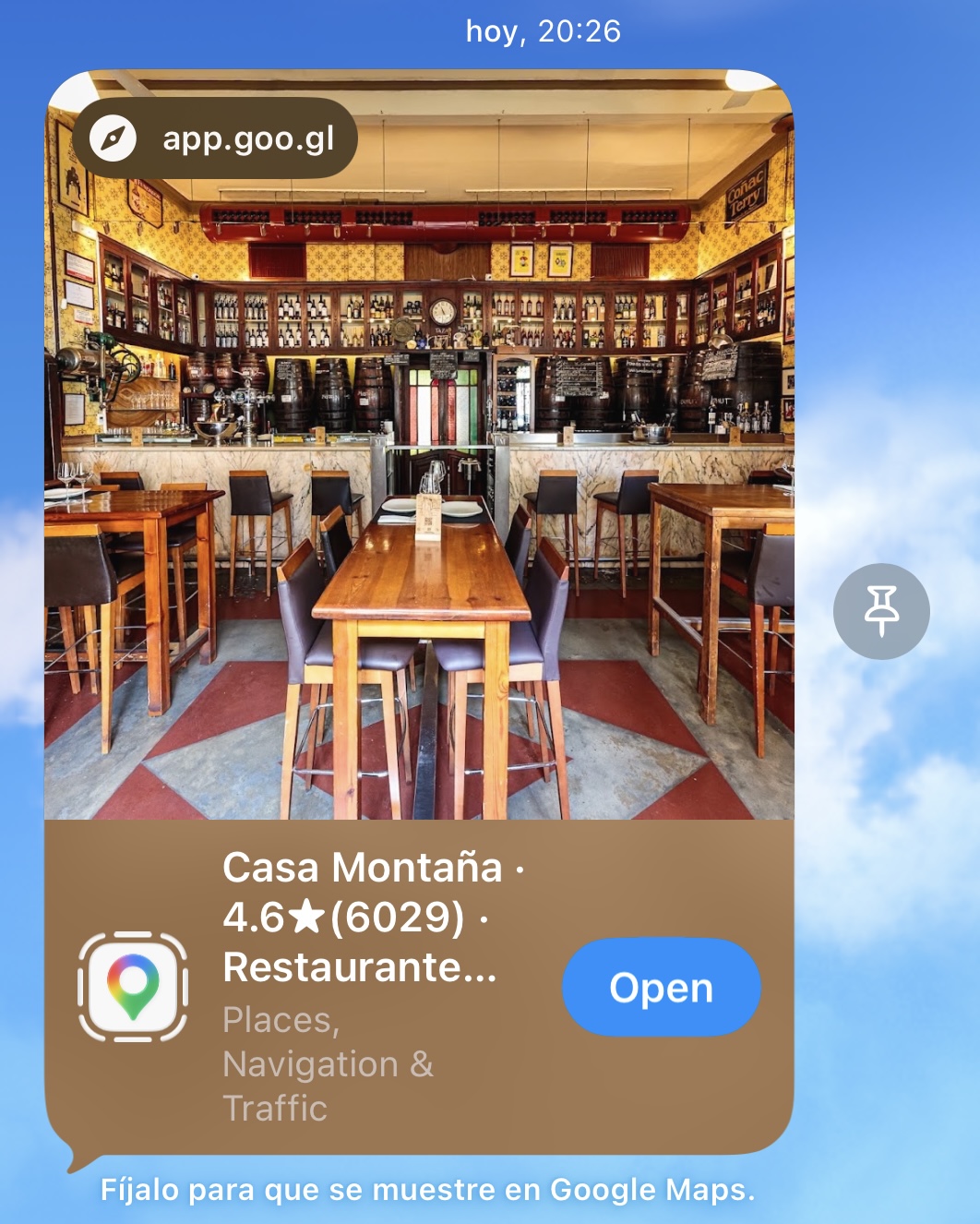
Pinning content in messages was there in iOS 26 too.I got this small text on iMessages in a Google maps link. It says that I can pin the message to be shown in Google maps. I suppose it’s like the “shared with you” feature for safari but it didn’t show up in google maps. So I suppose it’s a new thing. Also the button is in English (not phone language) so translation strings were not added yet View attachment 2644299
jdavid_rp
macrumors 6502a
But the small message about pinning it to be shown in another app?Pinning content in messages was there in iOS 26 too.
Is anyone having any issues with incoming calls? I have Beta 3 installed on a 17 Pro Max and a 16 Pro Max both with different phone numbers. On the 16 Pro Max, I have no issues with incoming calls. On the 17 Pro Max, calls ring once and then there is a “User Busy” message and the call hangs up. I’m able to call the person back but I can’t pick up any incoming calls. I have a workaround that I’ve been using which is to turn on call forwarding on my 17 Pro Max and use the number on my 16 Pro Max as the forwarding number. I then have calls on other devices enabled on my 16 Pro Max and when calls come into the phone number on my 17 Pro Max, they first ring once the 16 Pro Max and then ring on my 17 Pro Max. It’s annoying but at least i’m no longer hanging up on people who call me. I didn’t have this issue on the previous beta so it has to be something in beta 3 that is causing it but I’m curious if anyone else is having this problem. I was having an issue on Beta 2 where I could not move icons around. It was near impossible to do it but Beta 3 fixed that issue but now I have this incoming calls issue.
timemaker27
macrumors regular
No issues described above. Battery life excellent for watchOS and iOS. The only complaint is it’s a shame there’s nothing new apart from a few graphic tweaks


Lotsacaffine
macrumors member
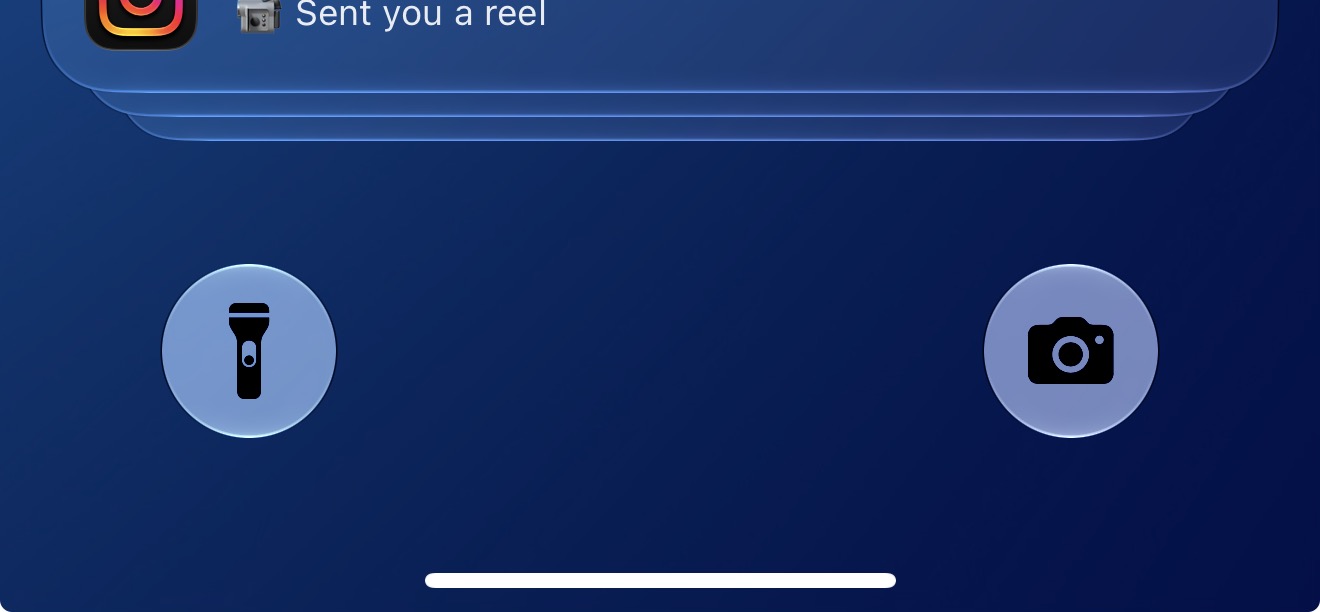
Coming on here just to rant about the lock screen shortcut buttons being so bright now. I keep thinking my flashlight is toggled on!
Ethan.Albano
macrumors regular
They’re terrible. Really hoping this gets reverted - I’d imagine it’s a glitch. Almost looks like they’re the intended behavior for when Liquid Glass is set to “More Tinted”Coming on here just to rant about the lock screen shortcut buttons being so bright now. I keep thinking my flashlight is toggled on! View attachment 2644369
Last edited:
CharlieBrown-DE
macrumors regular
My GTR4 never did this. But e-mails, notifications, calender alerts, WhatsApp etc. works fine.do you get notifications on the watch when you set an alarm on the phone?

nortonandreev
macrumors 68040
All my Bluetooth devices randomly disconnected and disappeared from settings. Had to restart the phone.


Grayburn
macrumors 68030
I know you're talking to that guy but i get alarm notifications from alarms set on my phone.do you get notifications on the watch when you set an alarm on the phone?
Watch is also running 27 beta.

uniquexoxo
macrumors 6502a
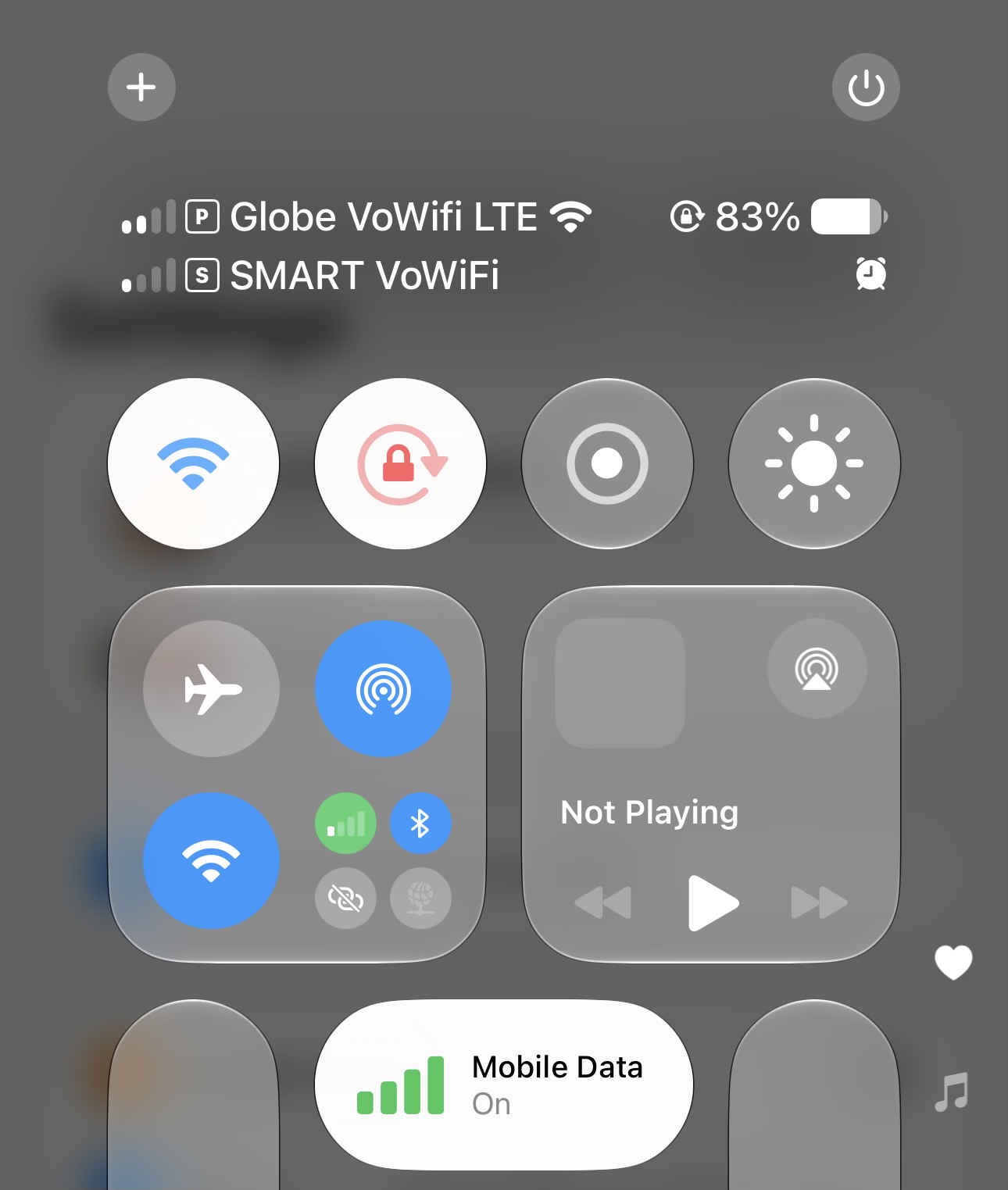
I think this is new, when you have your mobile data and wifi on, it will show both indicator now. Previously it only shows wifi or whichever connection it's using

Dog Bone Malone
macrumors 6502a
Pfft. Tap to wake has suddenly started playing up. I'm having to tap it several times in different areas of the screen for my 16PM to wake up! Anyone else had this? A hard reboot hasn't done anything, and it wasn't initially like this when B3 was first installed! Maybe it's something to do with the extreme heat we have here in the UK at the Moment?
So I airplayed a film today and had to check tracking app (Evri) and low and behold the image on screen was a full screen app, not a screen mirroring of iphone!
It had a full screen loading page then took me to a full screen app with a new tab bar at bottom.
Have I missed this in the beta or can devs now create full screen tv apps????
Not seen any other app do this, not even apples own apps.
However tv remote doesn’t work nor does controlling my phone, very strange.
It had a full screen loading page then took me to a full screen app with a new tab bar at bottom.
Have I missed this in the beta or can devs now create full screen tv apps????
Not seen any other app do this, not even apples own apps.
However tv remote doesn’t work nor does controlling my phone, very strange.
Last edited: